Designing Organization
Seats from scratch.
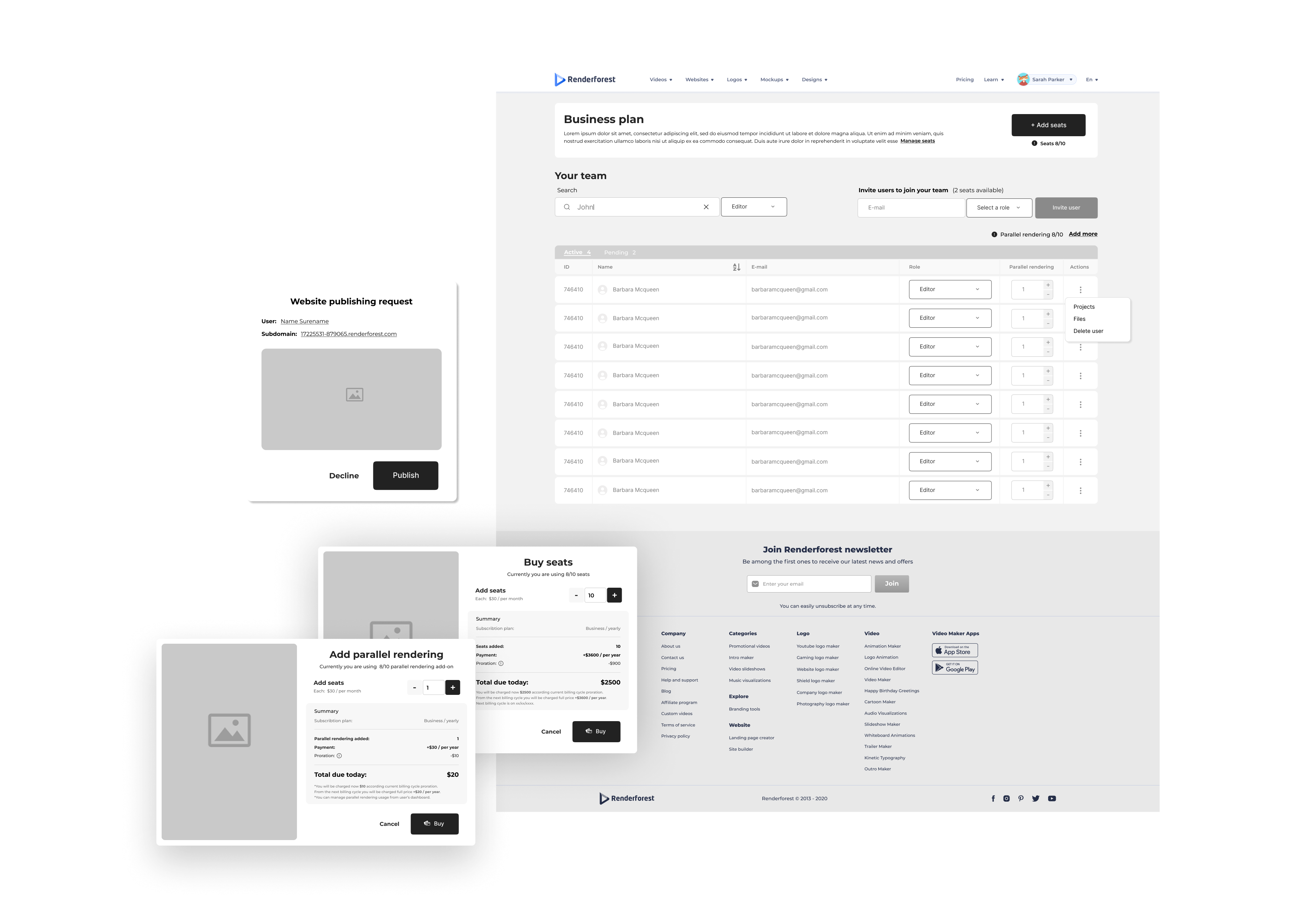
A billing-aware team management system for Renderforest — end-to-end flows and high-fidelity wireframes covering invitations, roles, seat purchase, billing edge cases, add-ons, media access, and request workflows.
Renderforest was moving into teams for the first time.
Until 2022, Renderforest had been an entirely individual product — one person, one account, one billing relationship. As the platform matured and customers started using it inside marketing teams, agencies, and small businesses, the absence of a real team tier became a hard limit on the kind of customers Renderforest could keep.
Organization Seats was the company's first move into team and enterprise pricing. There was no prior team functionality to extend or learn from — the entire system had to be designed from scratch: how an owner invites teammates, how roles work, how seats are purchased and billed monthly versus yearly, what happens when seats are reduced mid-cycle, how shared media is organized, how requests for expensive operations get approved.
The brief: design Renderforest's first team tier end-to-end. Flows, wireframes, every state, every edge case — built so engineering and the next designer could ship it without ambiguity.
Lead designer on flows and high-fidelity wireframes.
I owned the design end-to-end, working directly with the PM. The deliverable was complete: a full flow document for every journey through the system, plus high-fidelity wireframes for every screen, state, role, and billing edge case the engineering team would need to build against.
- Flows — every user journey from invitation through role assignment, seat purchase, seat reduction, add-ons, requests, and account state changes.
- Dashboards — the owner's home view with member management, billing summary, and quick actions.
- Empty & partial states — no users at all, no active users, no pending users, pending invitations awaiting response.
- Invitations & roles — invitation form, search affordance, role assignment dropdown, and the error states a real product accumulates around invitations.
- Seat purchase & billing — buy seats monthly and yearly, with the full set of billing edge cases (minimum amounts, proration at $0, when nothing has changed and the buy button must be disabled).
- Seat management — adding and reducing seats, including the "don't allow reduce" rule when the org is already at-cap.
- Add-ons — additional storage and parallel rendering, in monthly and yearly variants with their own minimum-amount logic.
- Media library — org-level shared media with per-user filtering, file-type views, and uploads.
- Request flows — approval workflows for parallel rendering and website publishing.
The product shipped after I left Renderforest. The shipped feature is built on this foundation.
One screen, the whole organization.
The owner's dashboard is the system's home. It holds the things an owner needs to do most often: see who's on the team, who's pending, who has which role, how many seats are used versus paid, and the quick actions for invitations and billing — all on a single screen, with the heavier flows one click deeper.
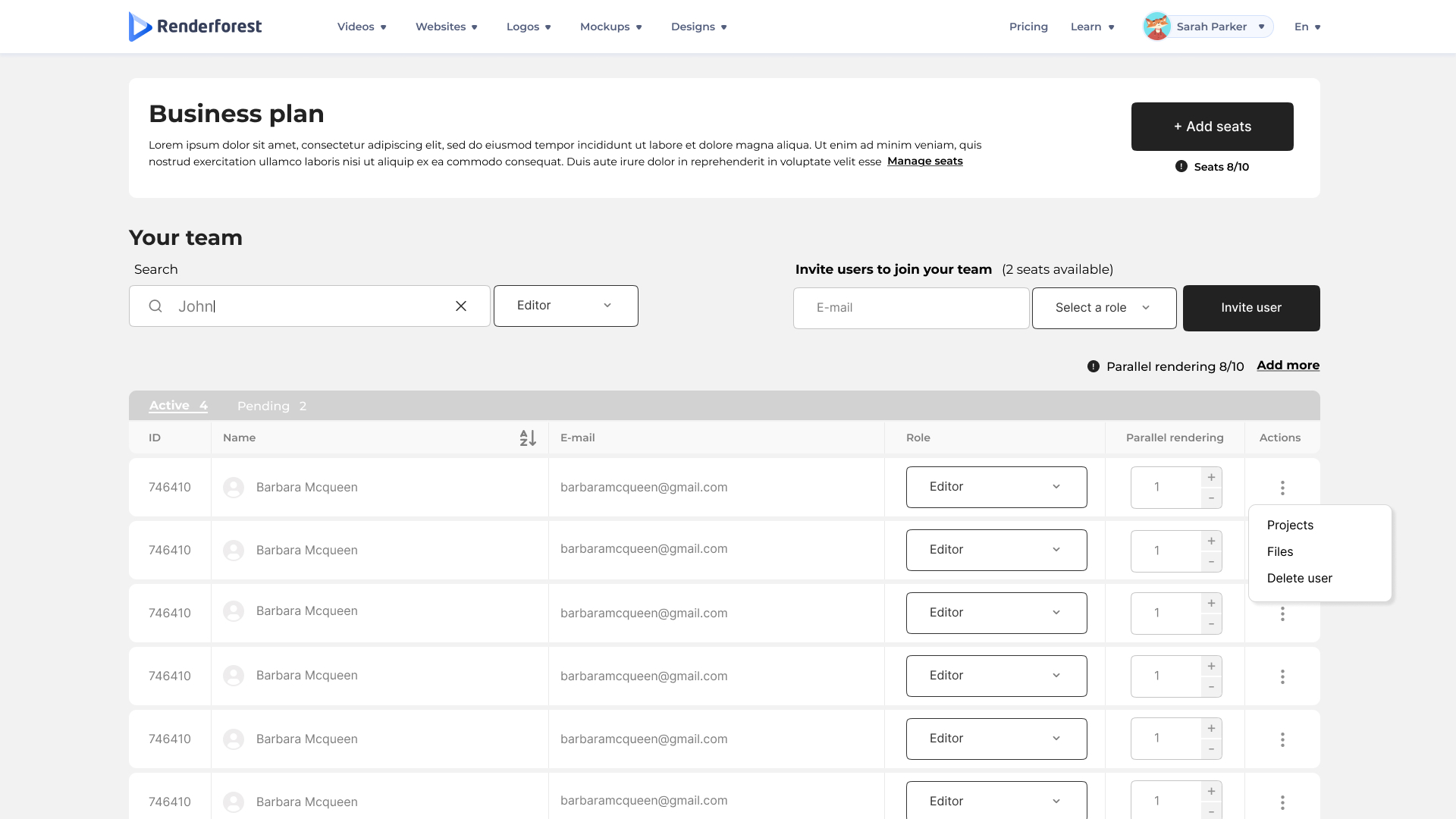
The owner's default view — members, roles, seat usage, and primary actions in a single screen.
The shape of the dashboard at every population.
A team tier doesn't start full — it starts empty, and grows through a series of recognizable transitional states. Each one needed its own treatment so the dashboard read as intentional at every step, not broken.
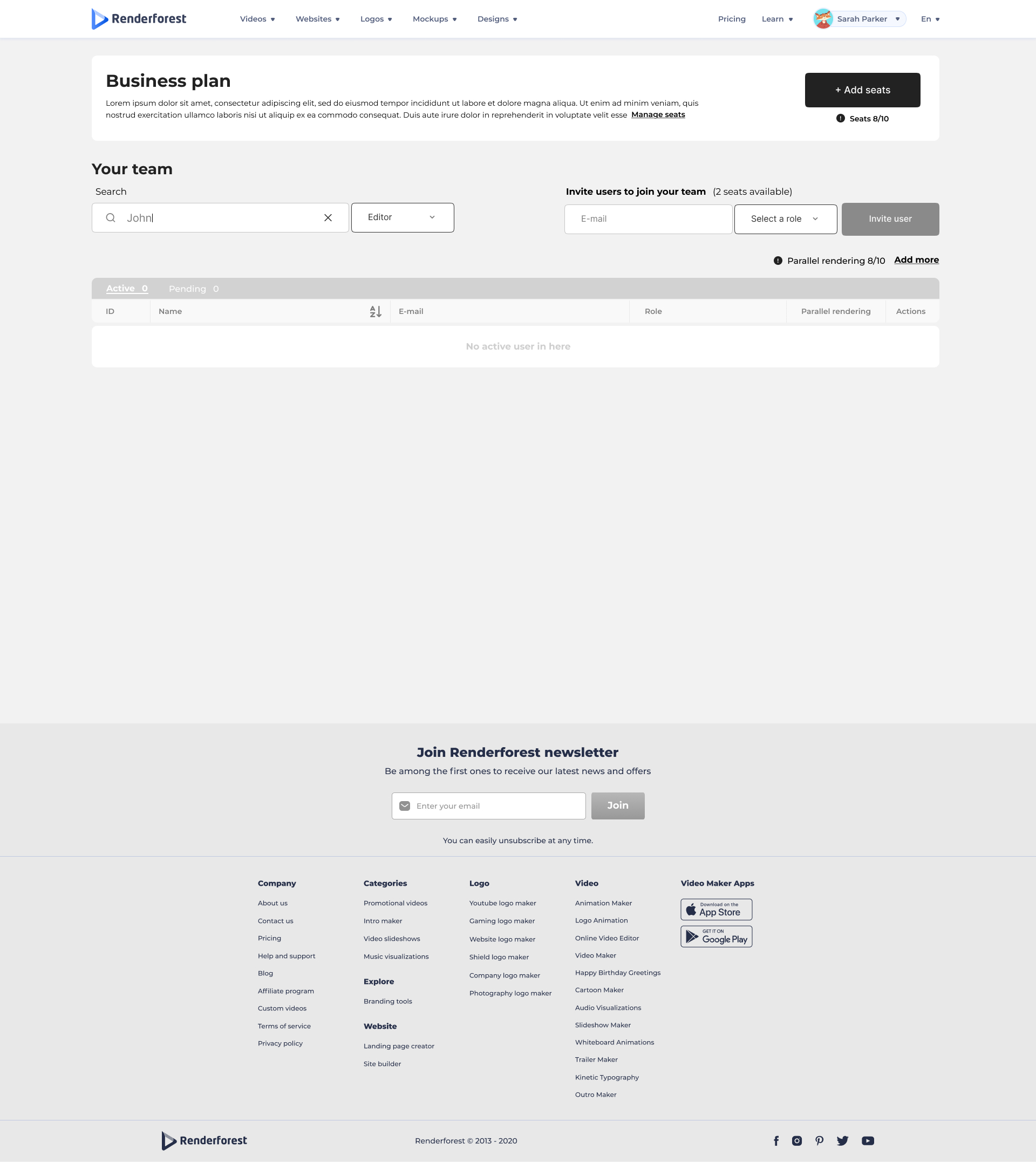
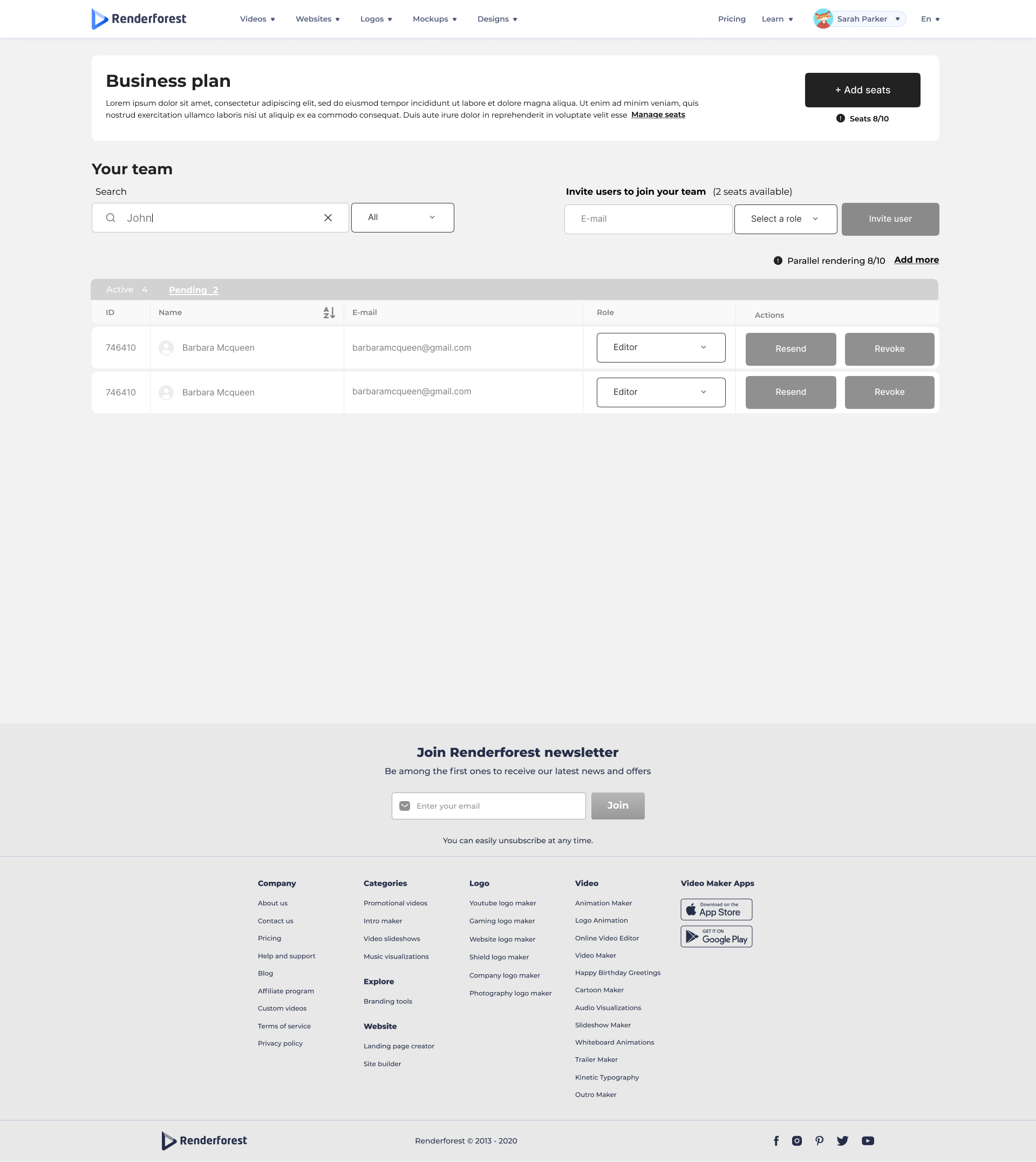
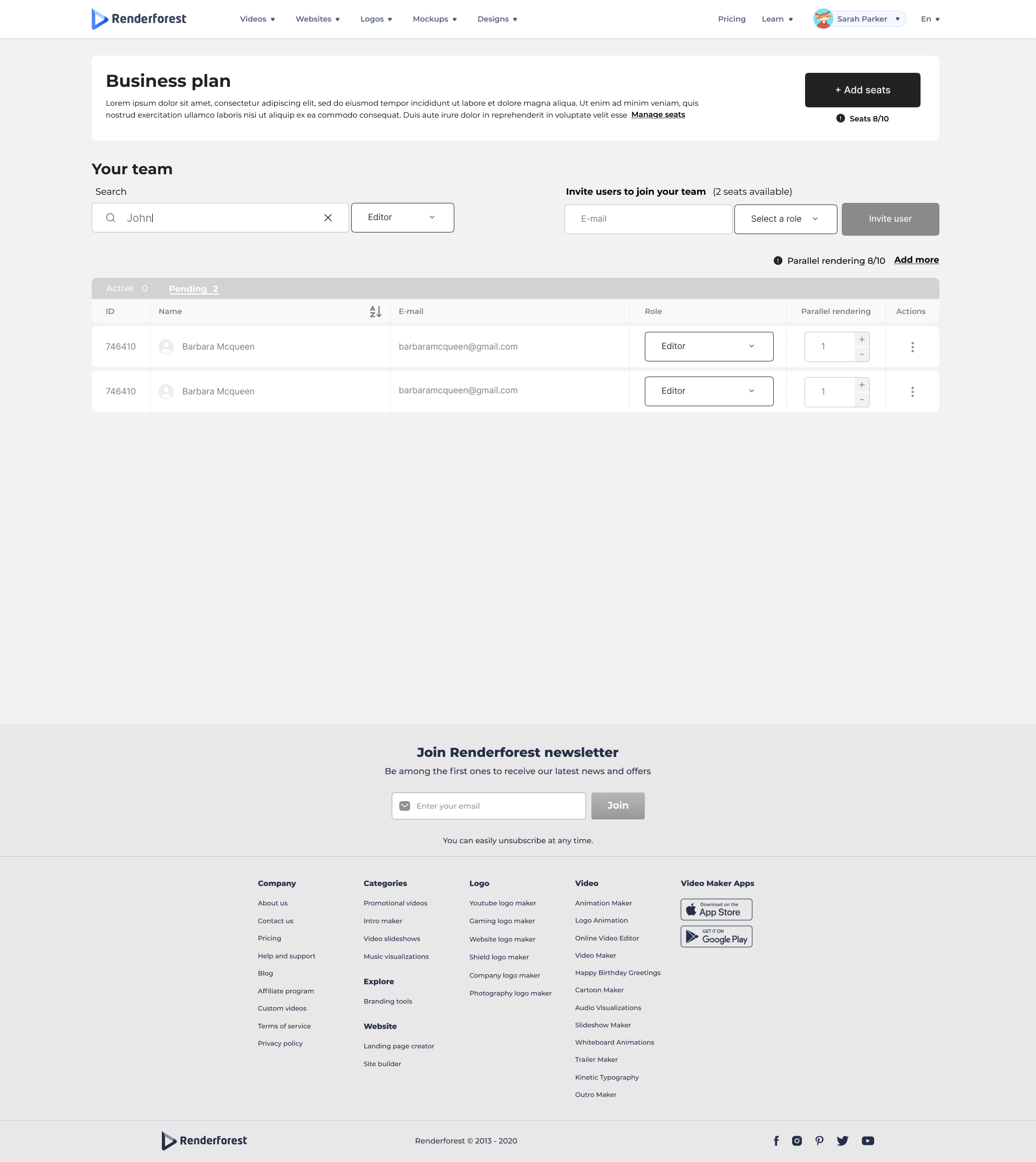
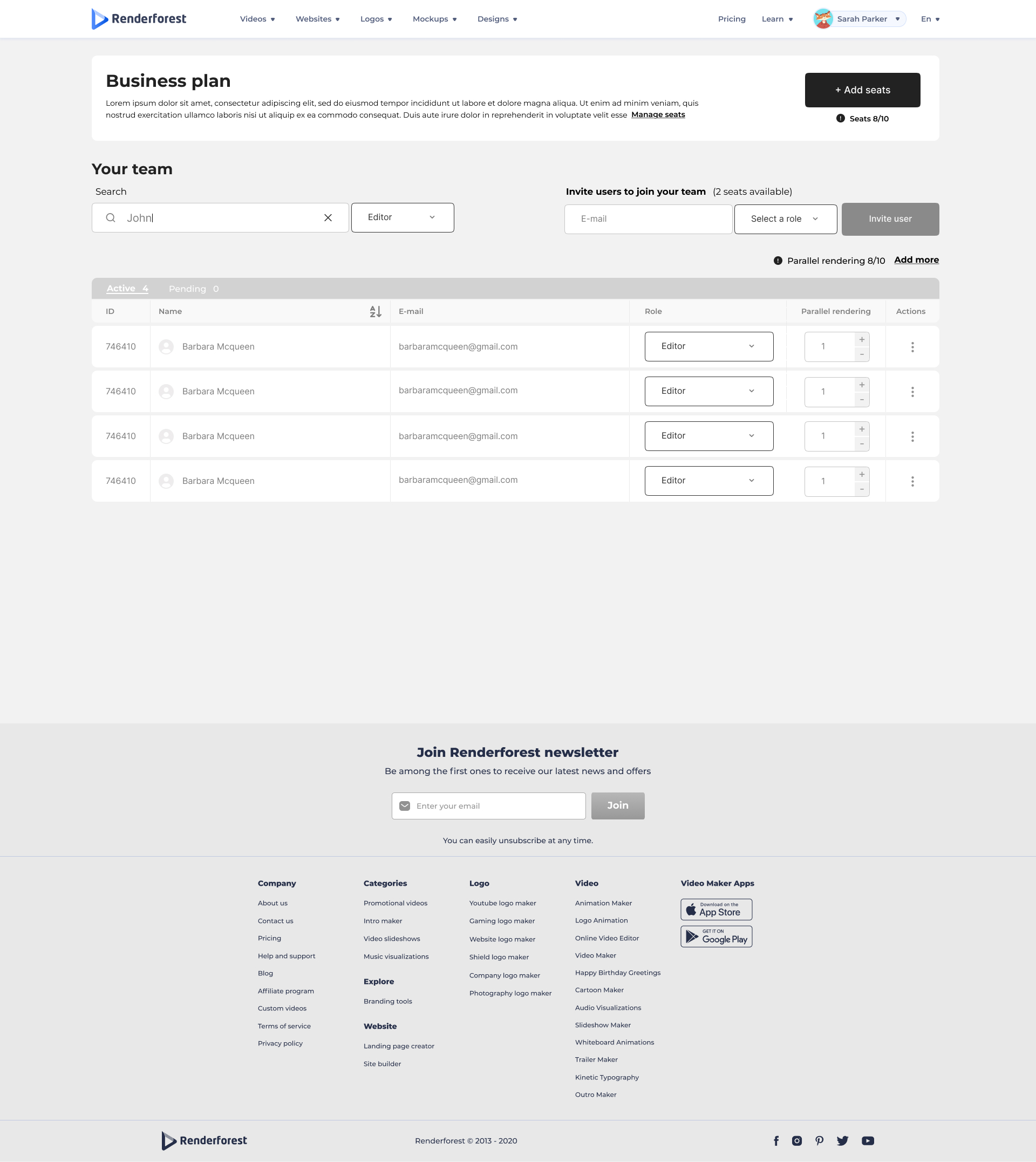
From empty to fully populated — every transitional state designed so the dashboard never looks broken or unfinished.
The invitation flow and the role system.
Inviting a teammate looks simple but accumulates edge cases quickly: the email field, the role dropdown, what happens when no role is selected, what happens when the role is invalid, what the search affordance does when an owner is looking for an existing user. Each one needed a defined screen.
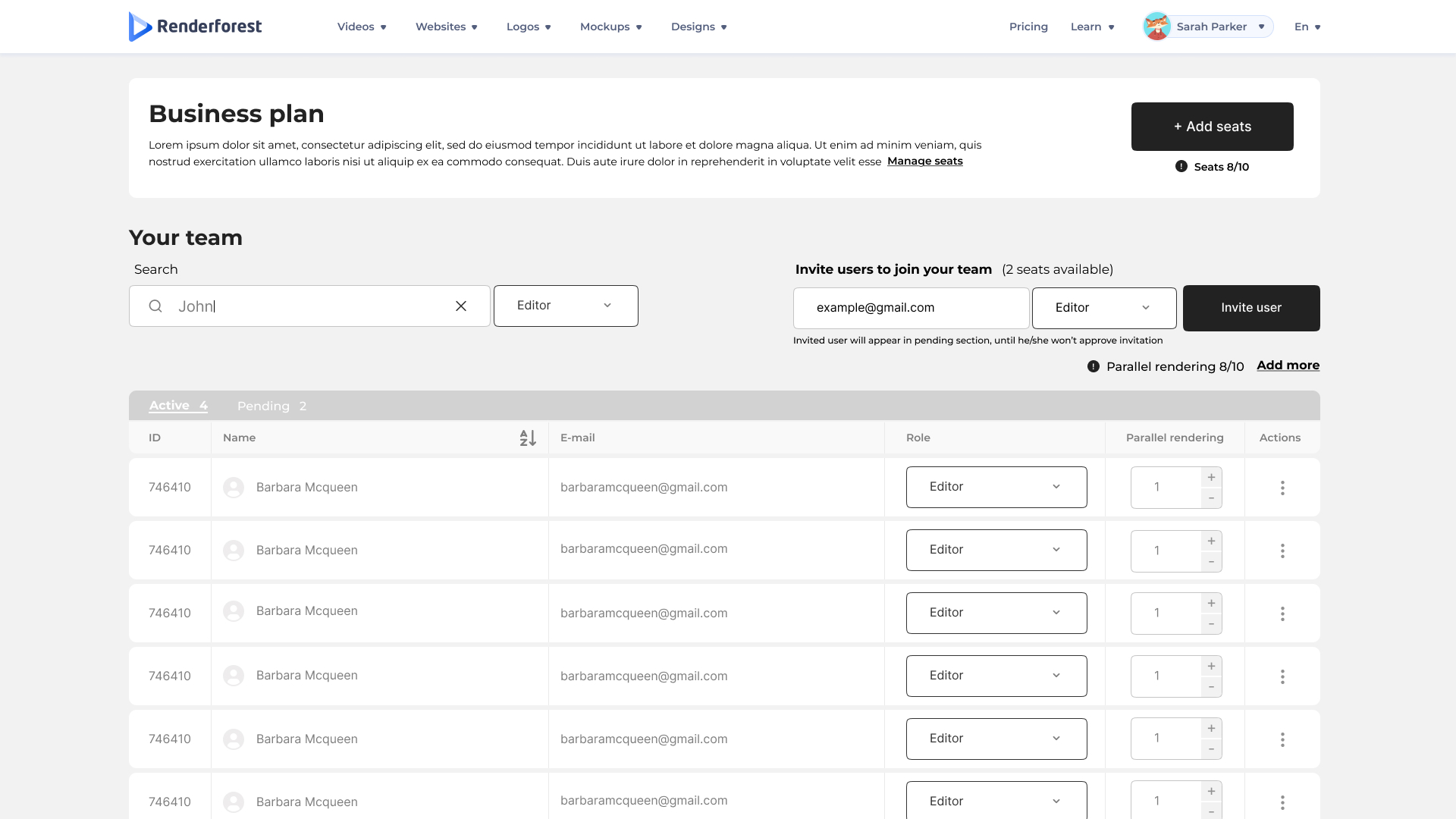
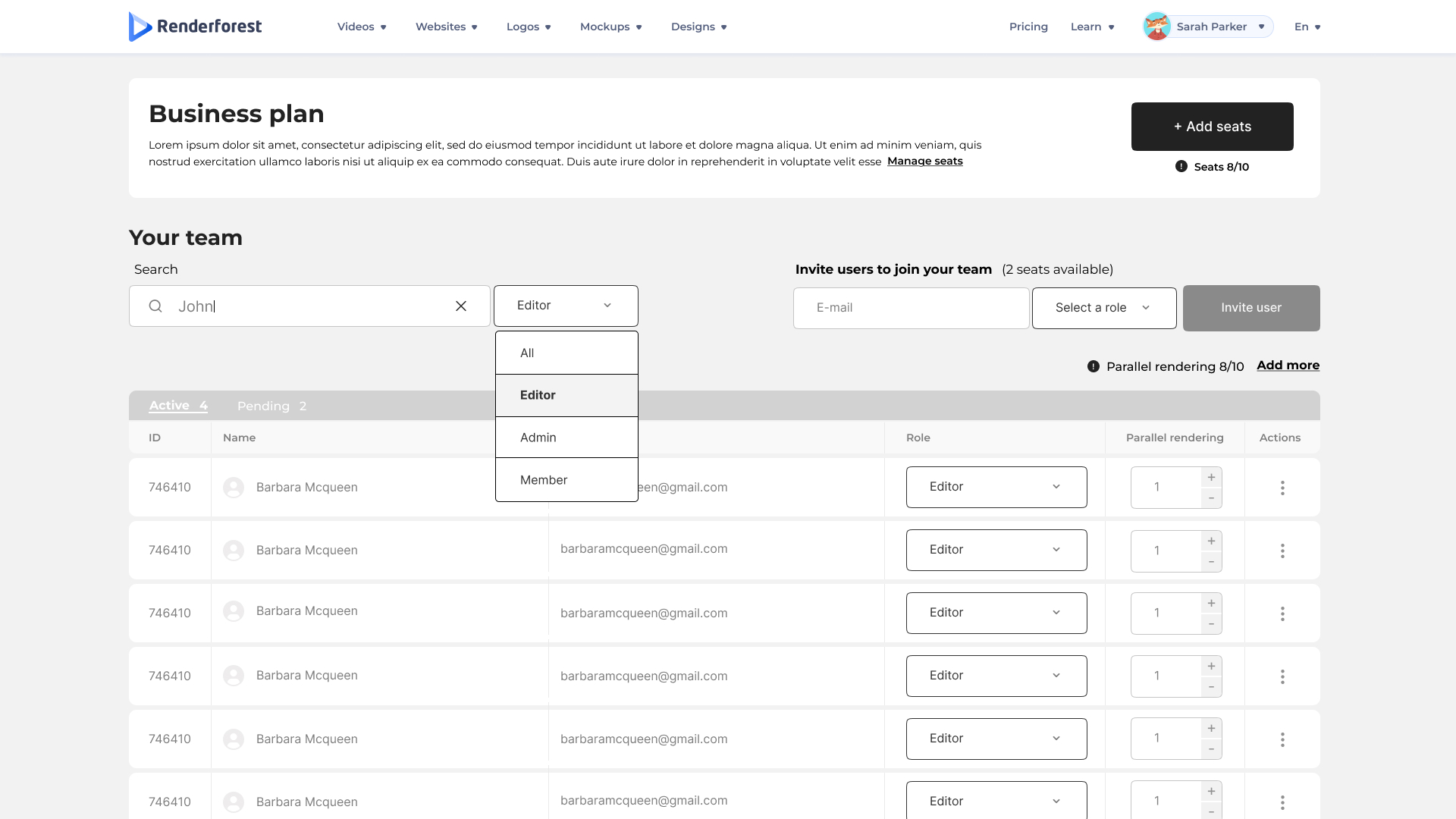
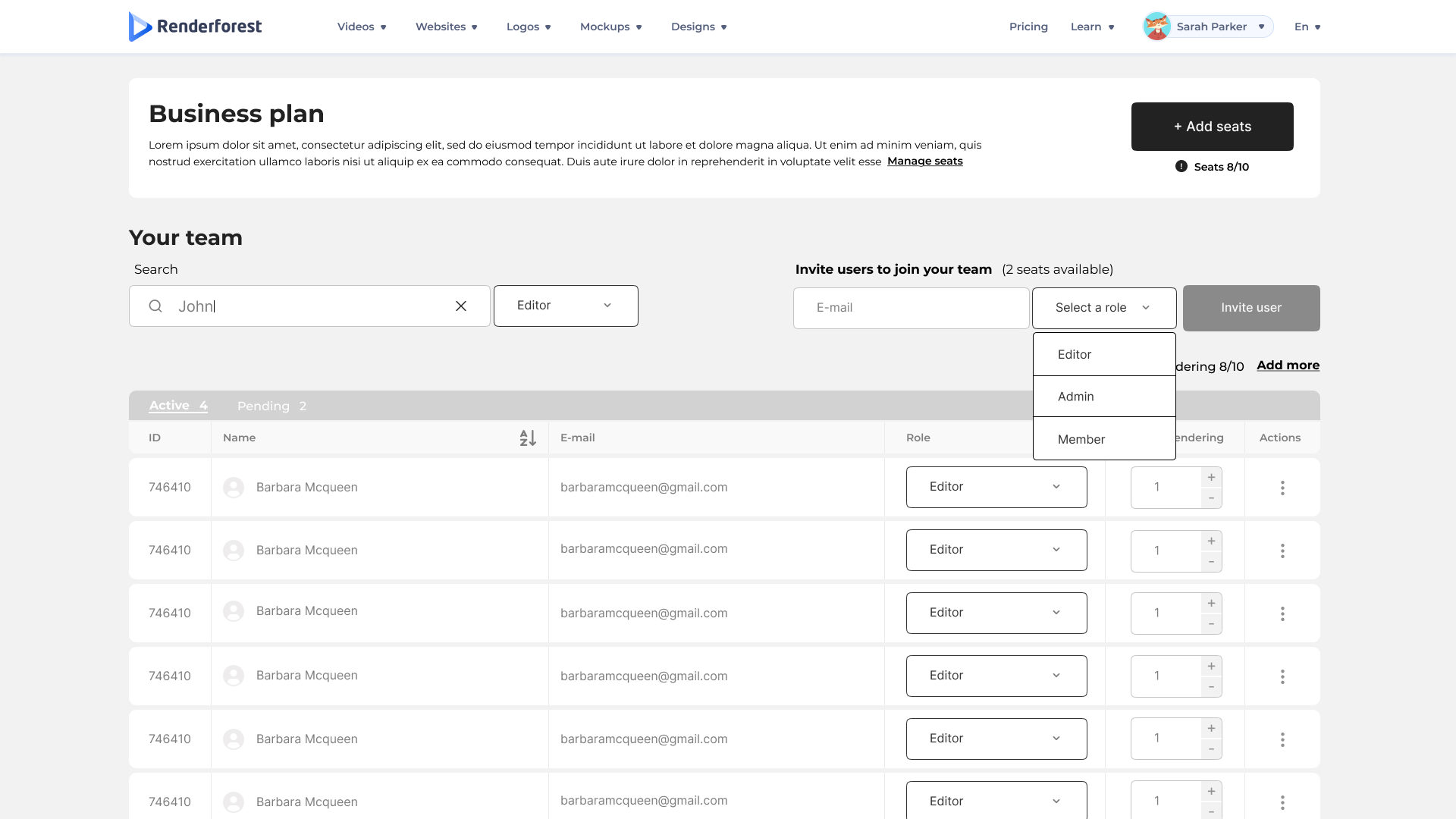
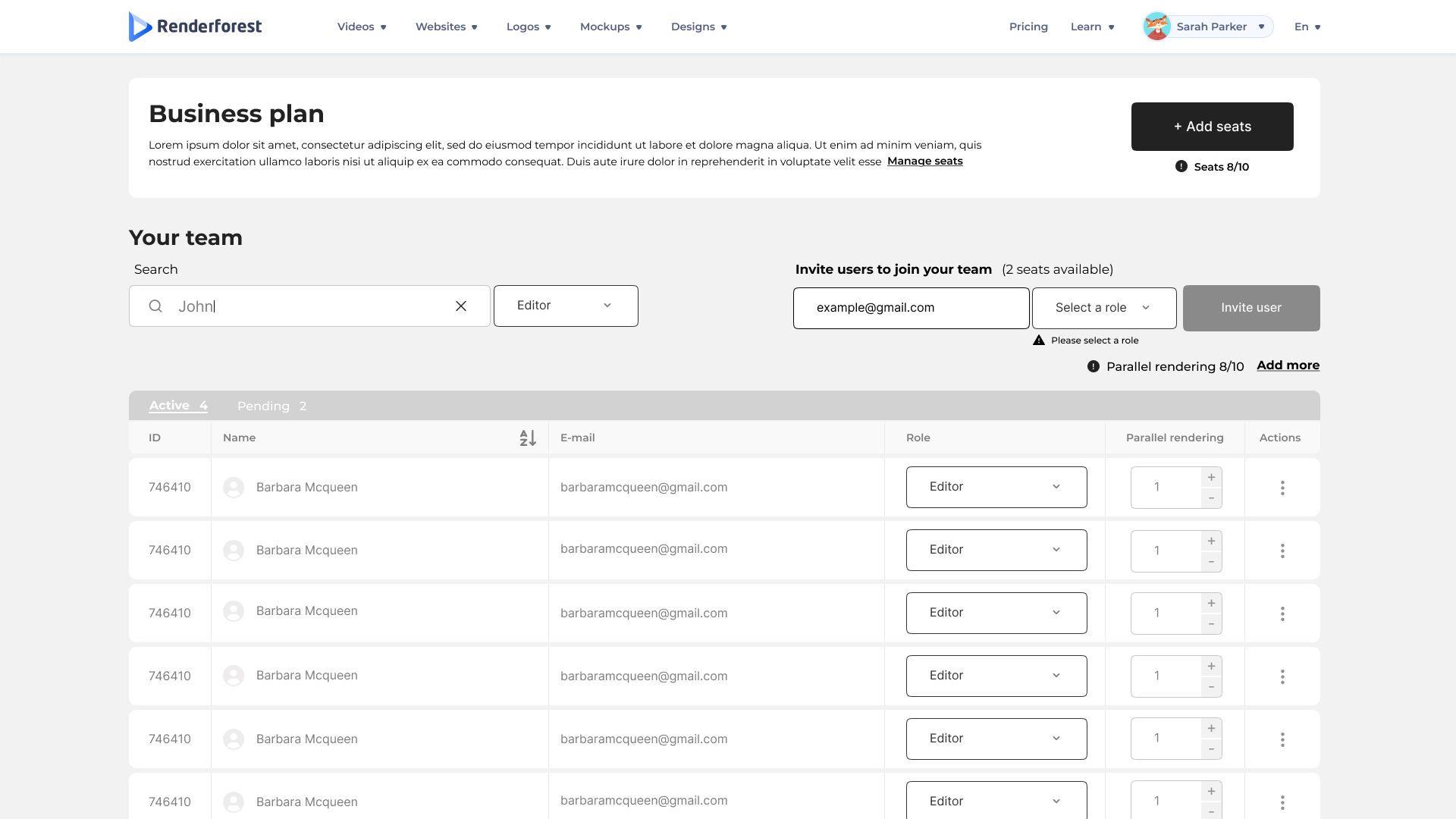
Invitation form, search affordance, role assignment, and the error path — each as its own designed state.
Buying seats — monthly and yearly, with the math made visible.
Seat purchase is where a team tier earns or loses an owner's trust. The screens needed to show, clearly: how many seats, the unit price, the billing cycle, the prorated amount for partial periods, and a total the owner can act on without surprises.
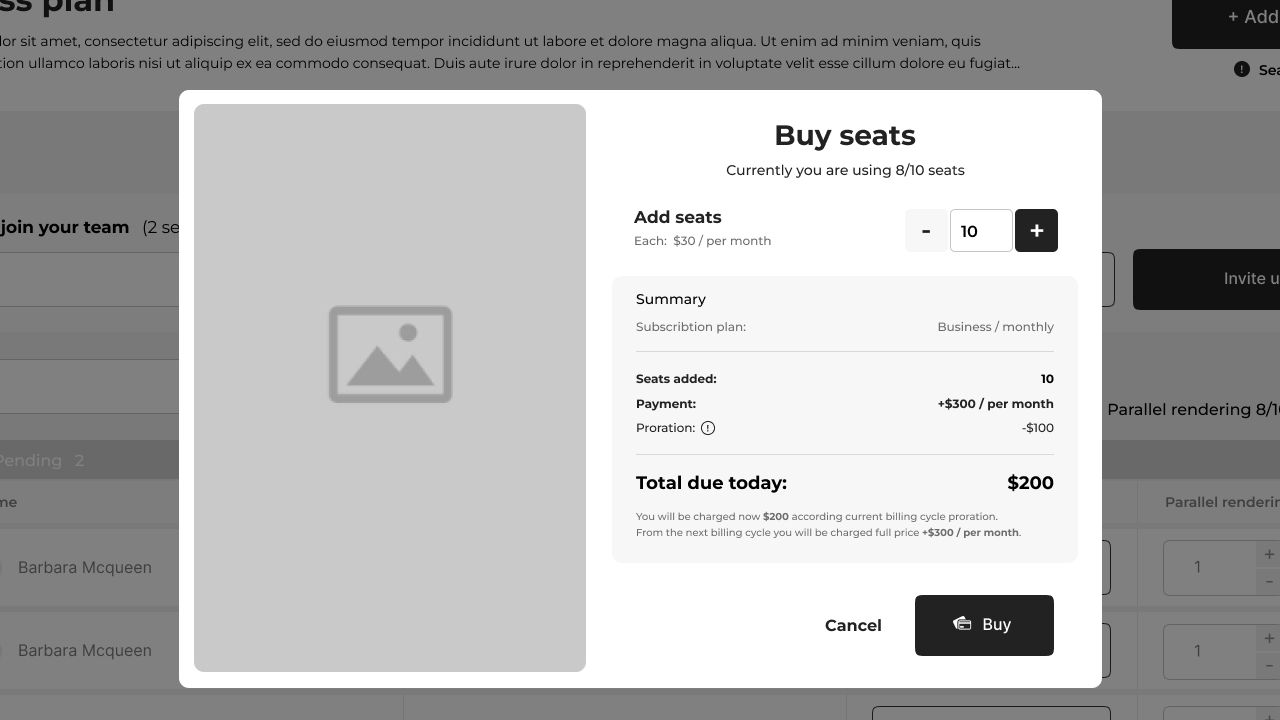
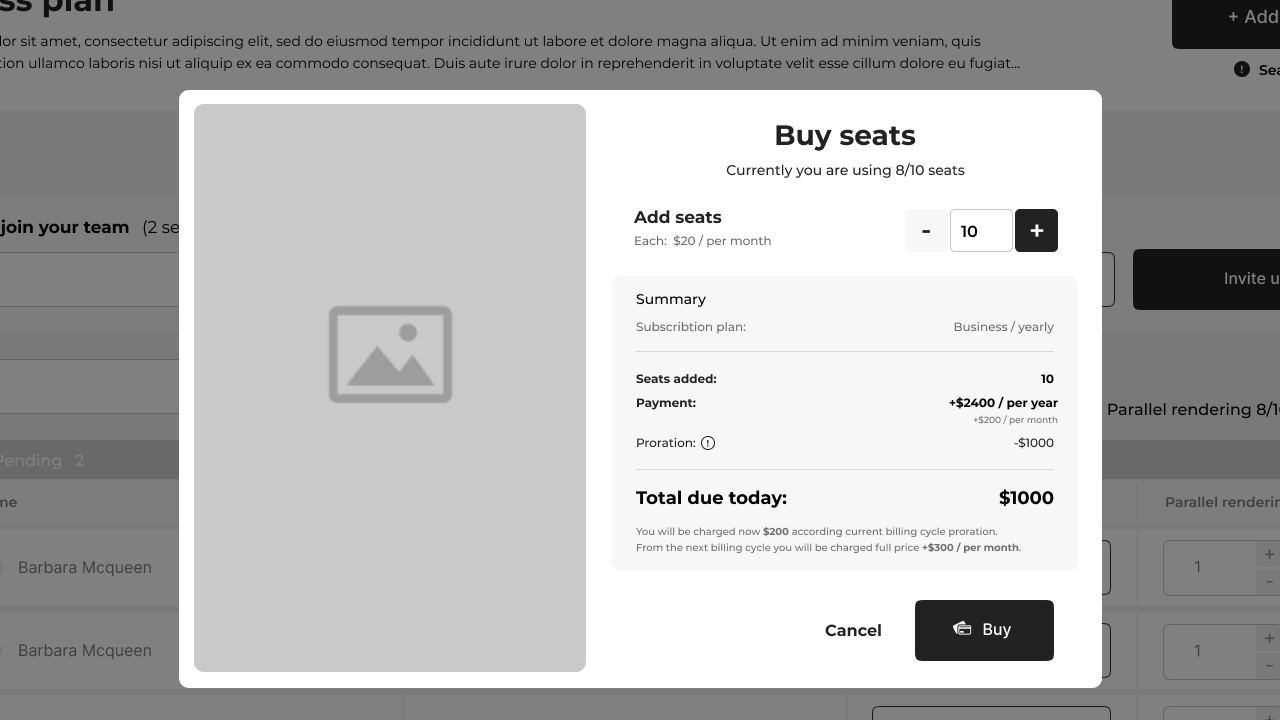
Monthly and yearly purchase flows — the unit cost, the cycle, and the total all visible before any commit.
The states most products get wrong.
The hard work in a seats system isn't the happy path — it's the edge cases that have to be designed before engineering can build them. Each of these is a state where the math, the rules, or the user's intent forces the screen to behave differently.
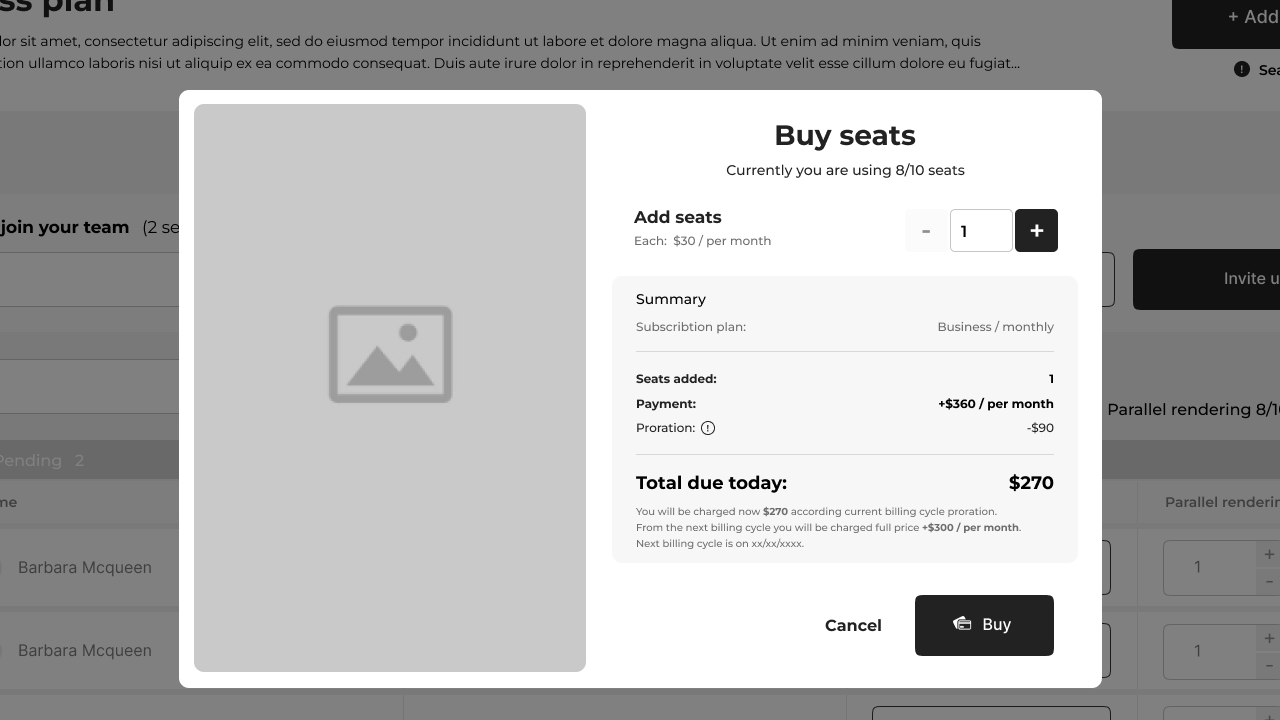
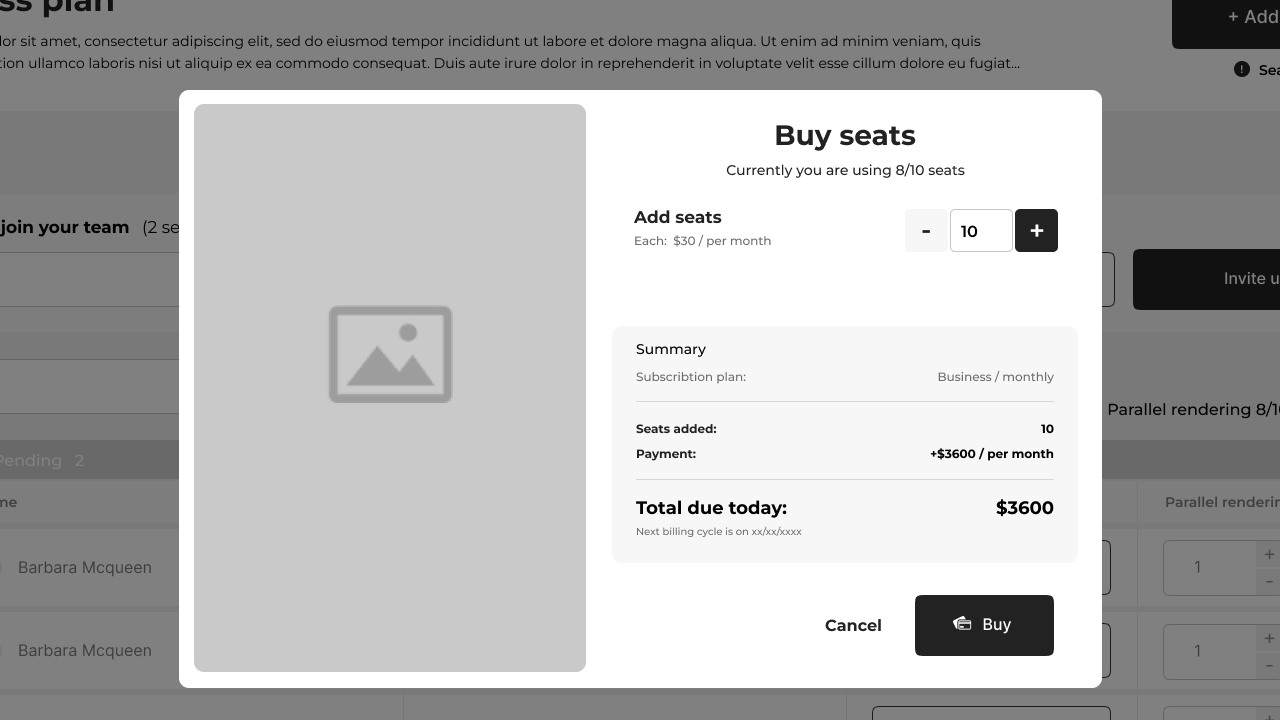
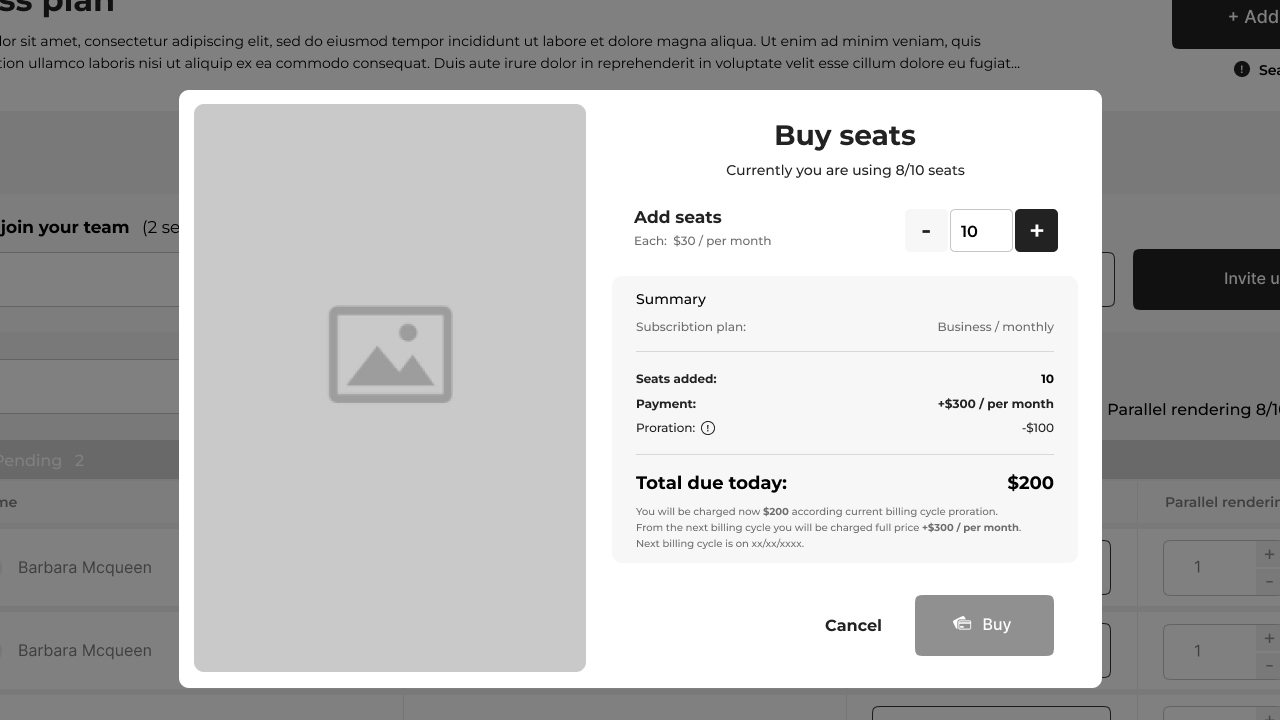
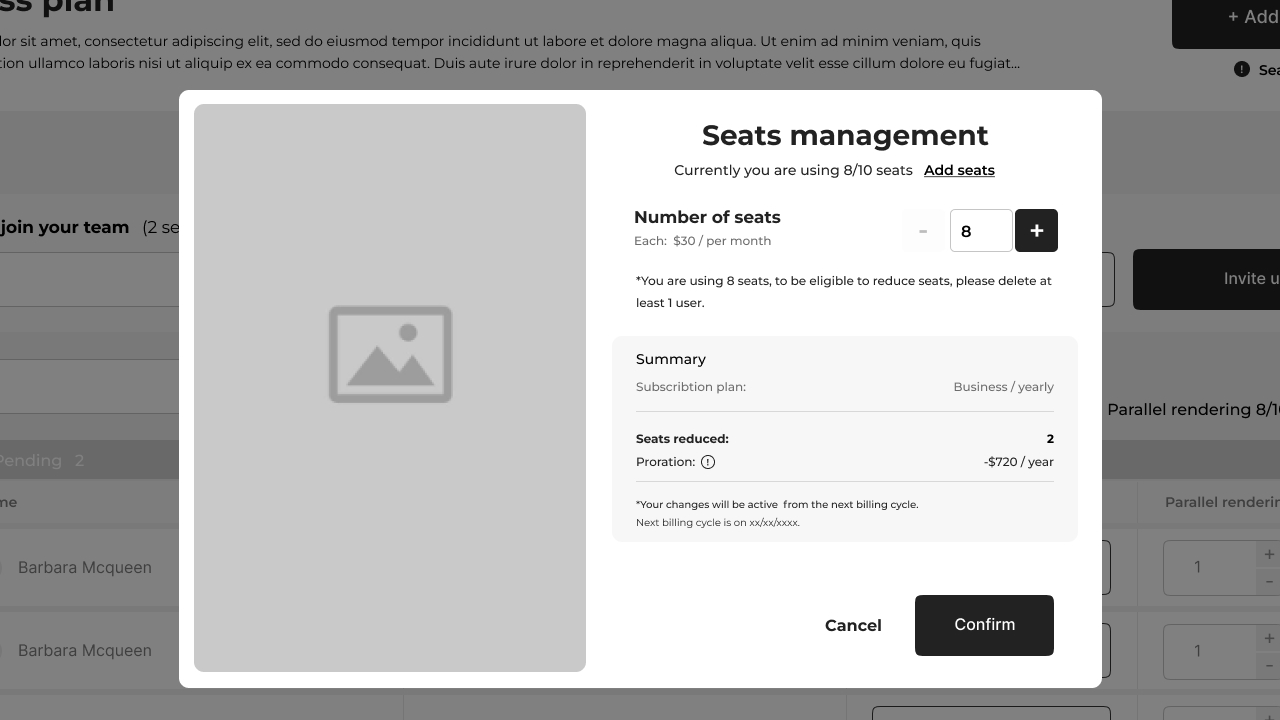
Minimum-amount enforcement, proration at $0, "nothing has changed" disabling the action, and the don't-allow-reduce rule — each a designed state, not an engineering afterthought.
Adjusting the org's seat count, mid-cycle.
Once an org is paying, the more common action isn't buying new seats — it's adjusting the count up or down inside an active cycle. The management screens cover both directions, in both billing modes, with the rules around reductions made explicit on screen.
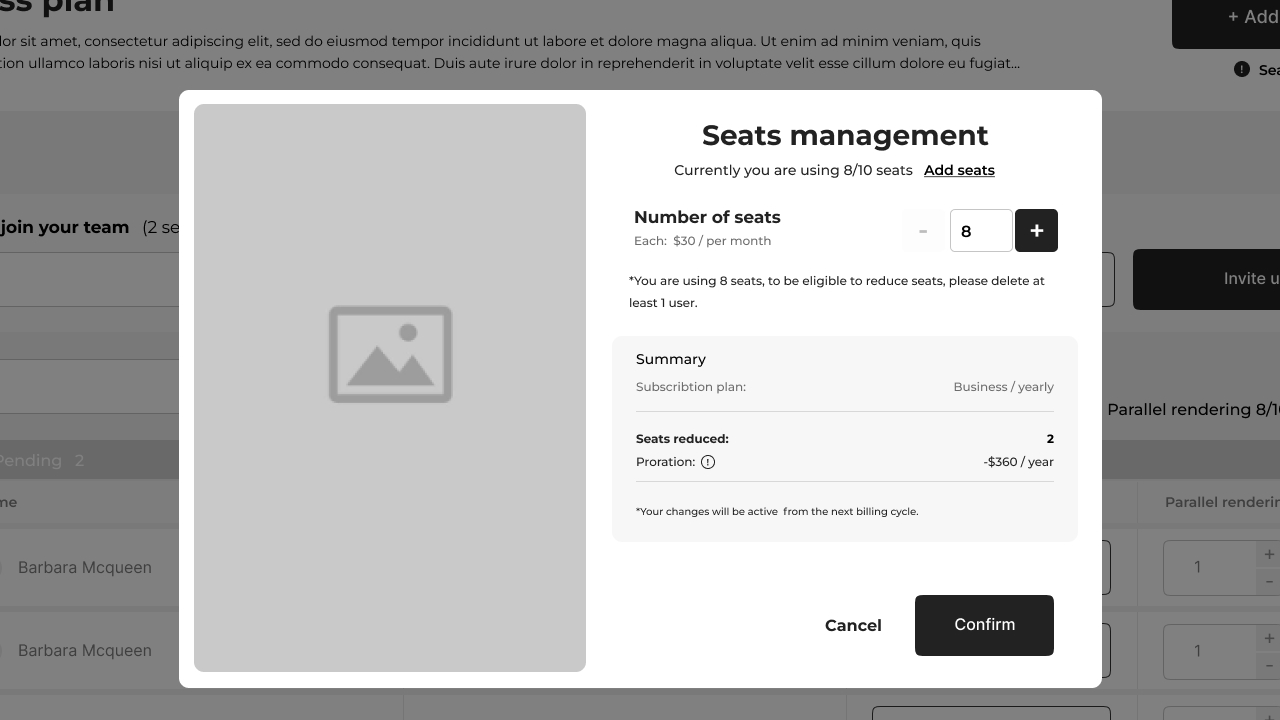
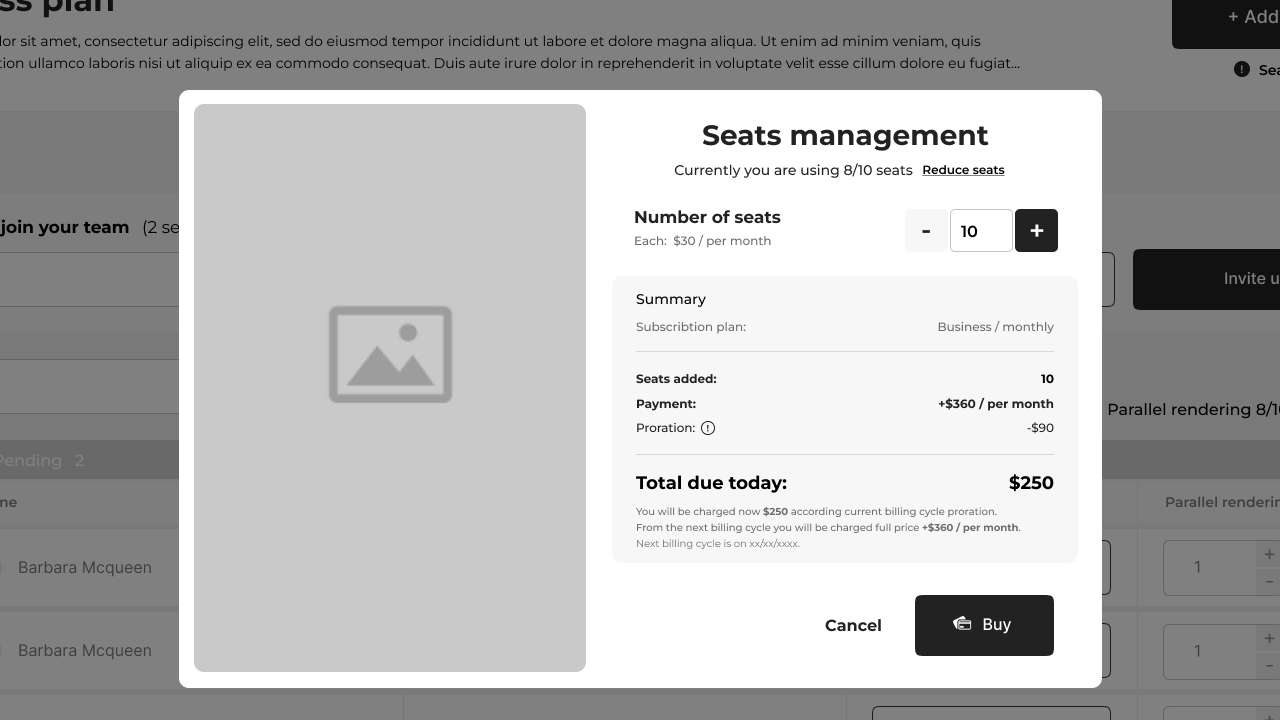
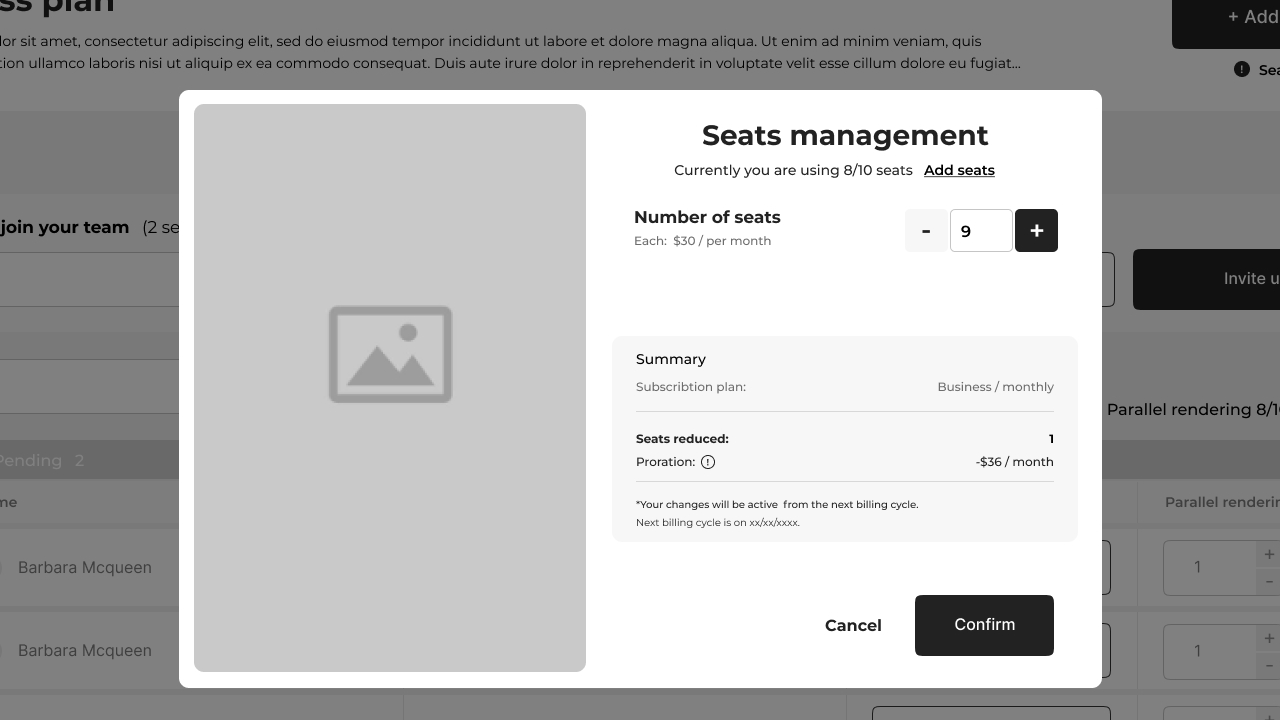
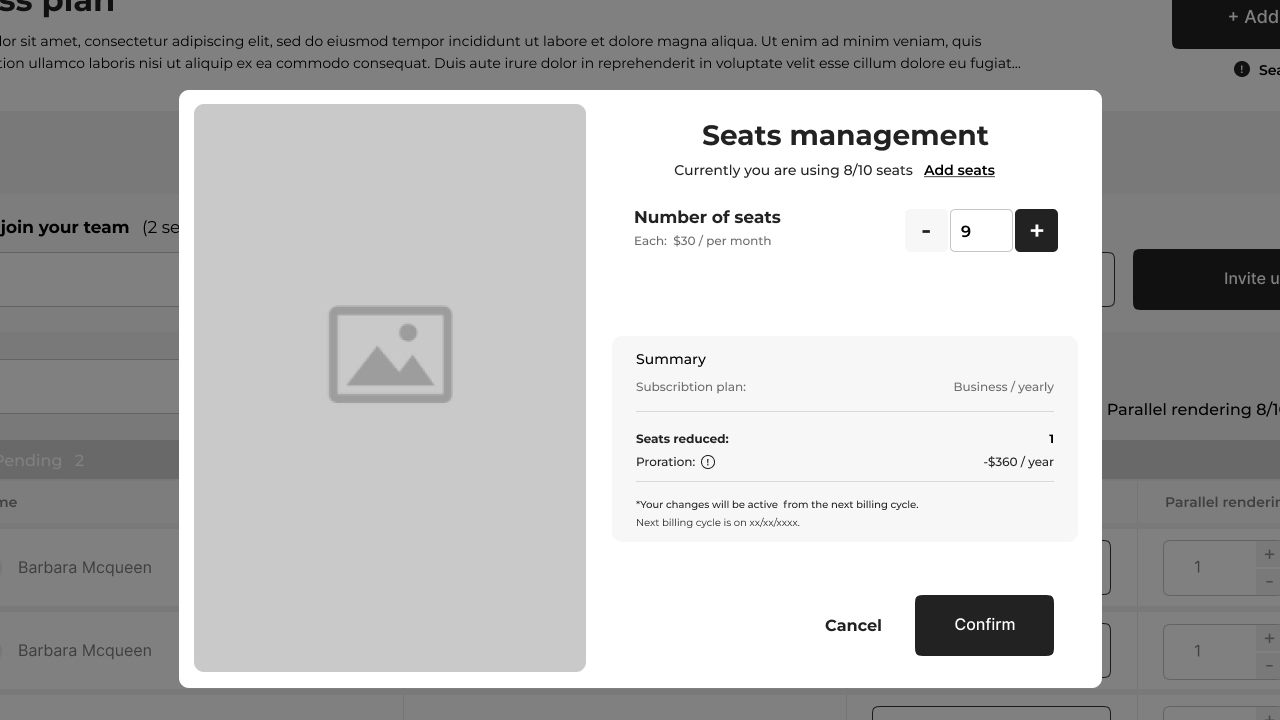
Adjusting up and down, monthly and yearly — the math visible and the rules explicit.
Storage and parallel rendering — the same discipline.
Beyond seats, an org can buy additional storage and additional parallel rendering capacity. Both add-ons inherit the same billing-aware design pattern as the seat flow — clear unit pricing, monthly versus yearly variants, minimum-amount rules, and proration logic.
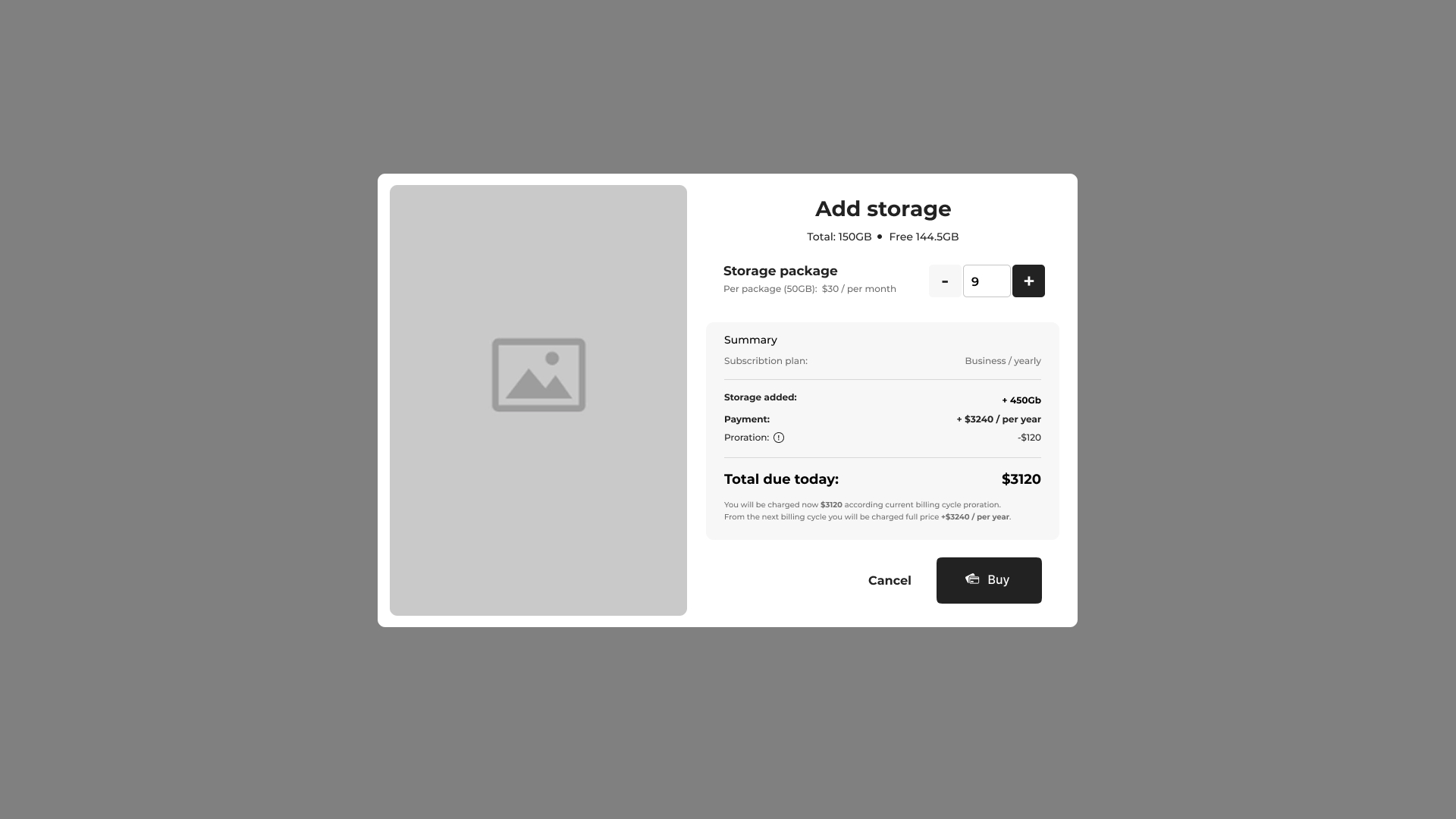
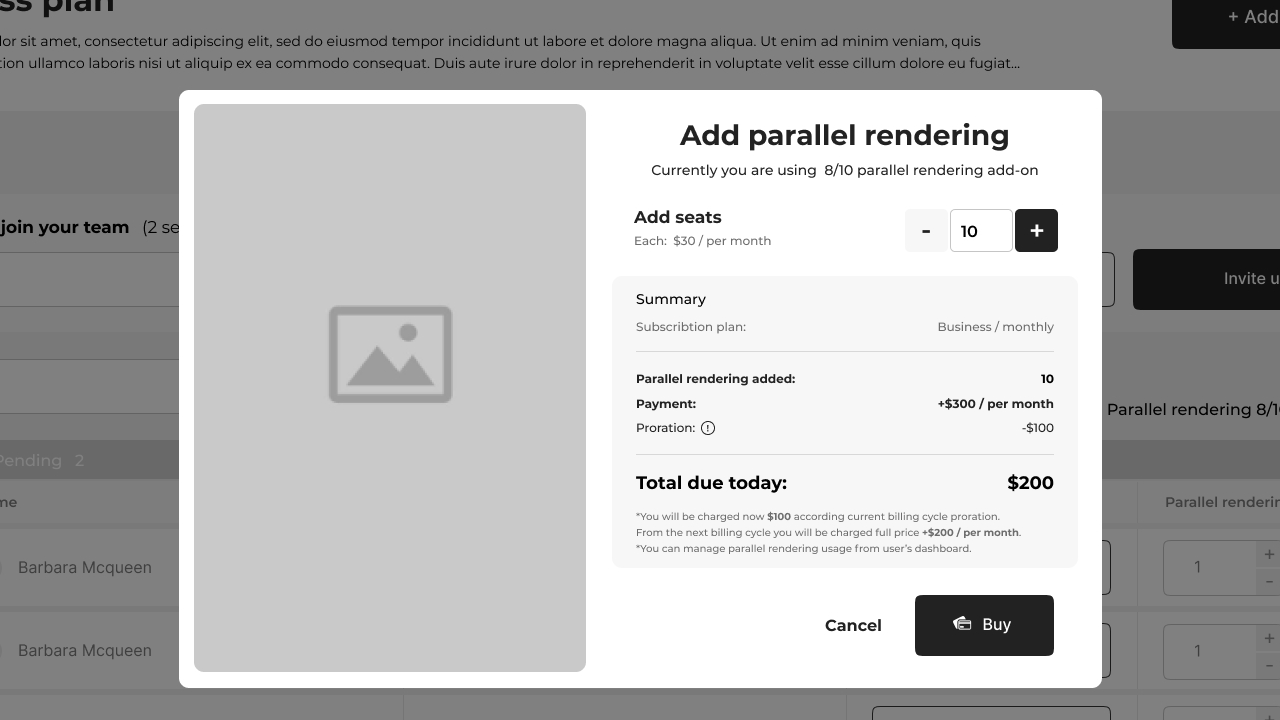
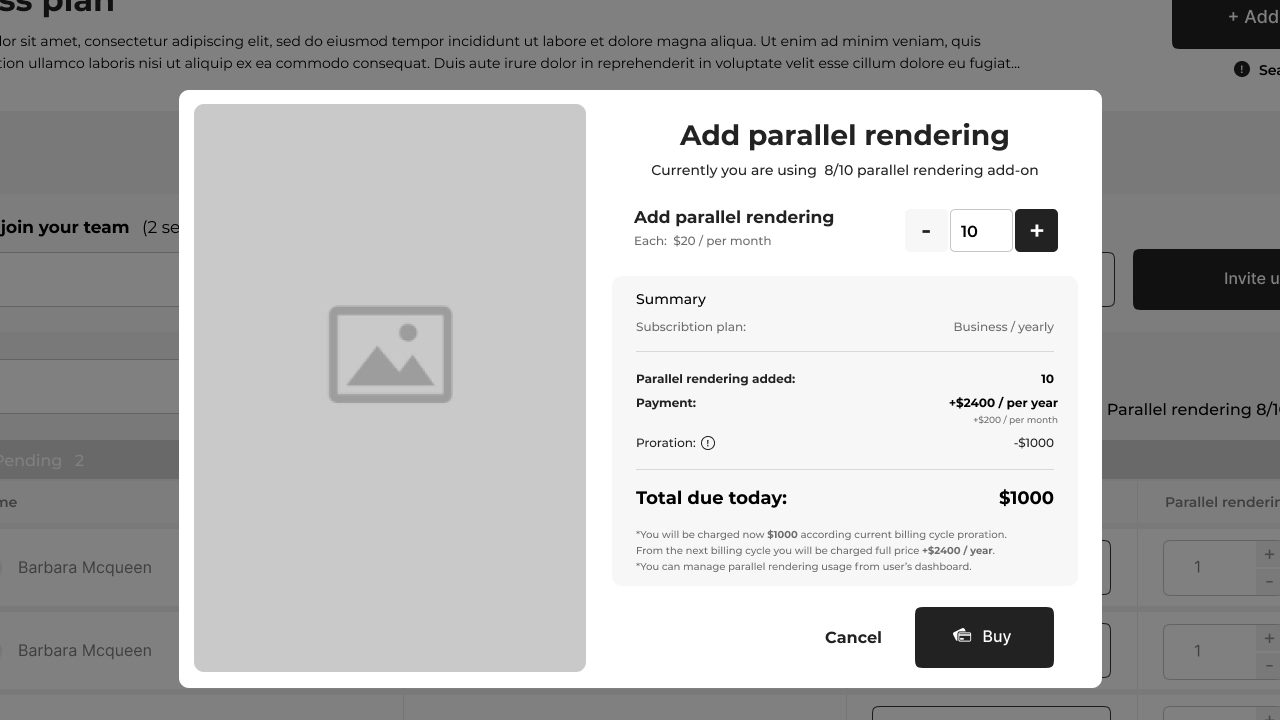
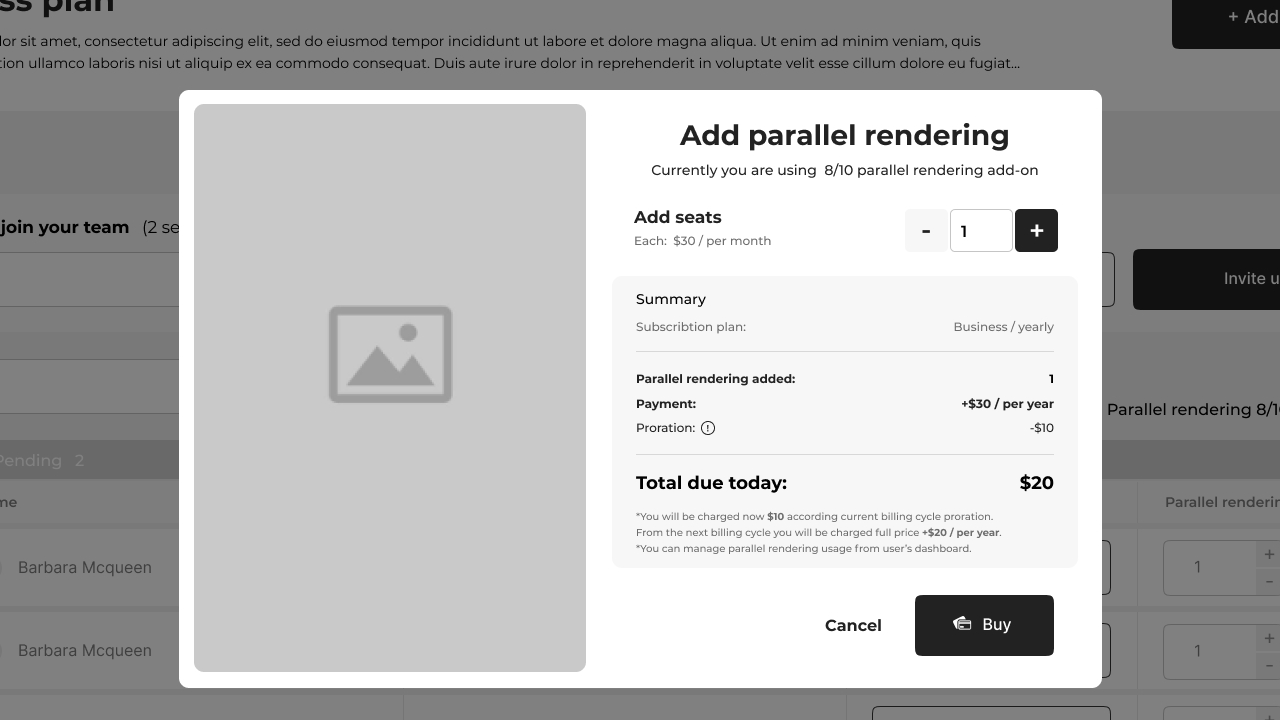
Storage and parallel rendering — the same billing discipline as seats, applied consistently across add-ons.
Shared media, scoped to the team.
A team tier isn't a team tier without a place for files. The org-level media library makes uploads available to the whole organization, with per-user filtering, file-type views, and clear separation between "my files" and "all files."
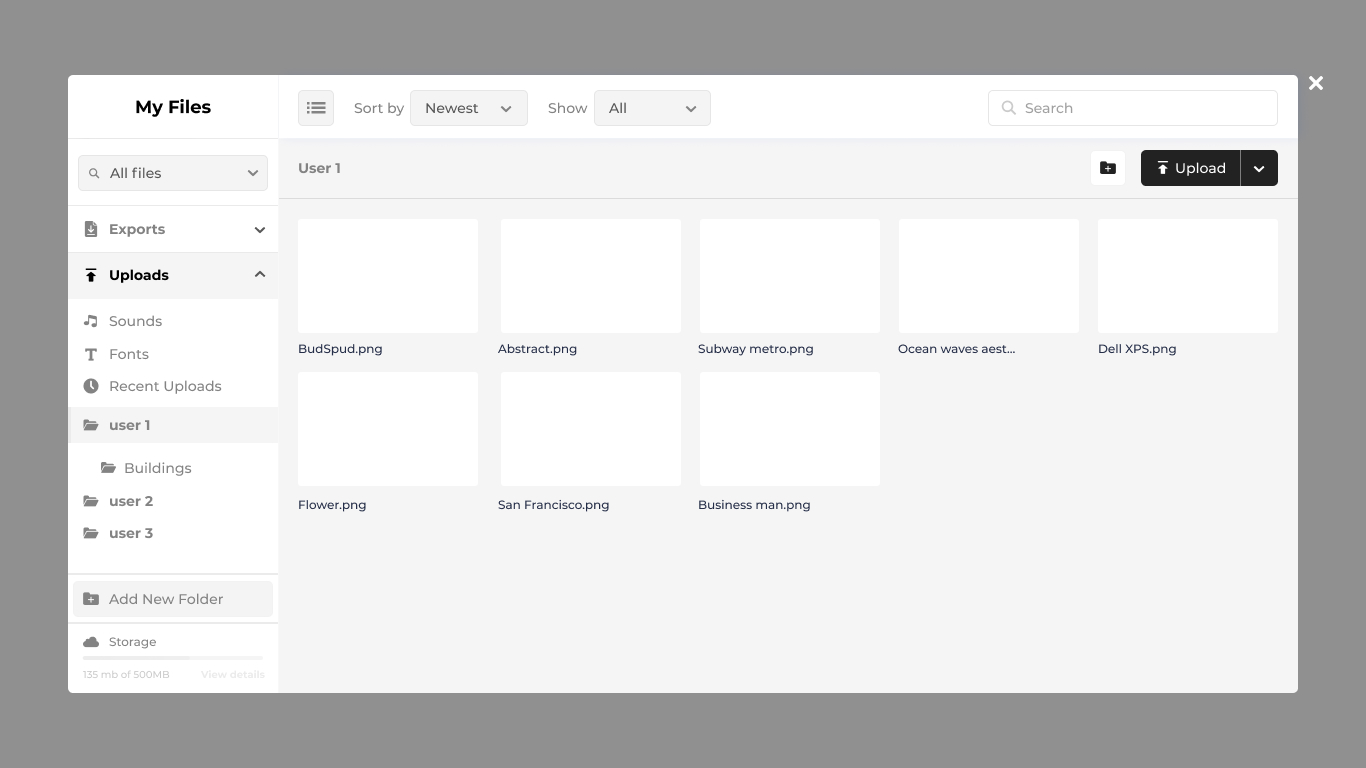
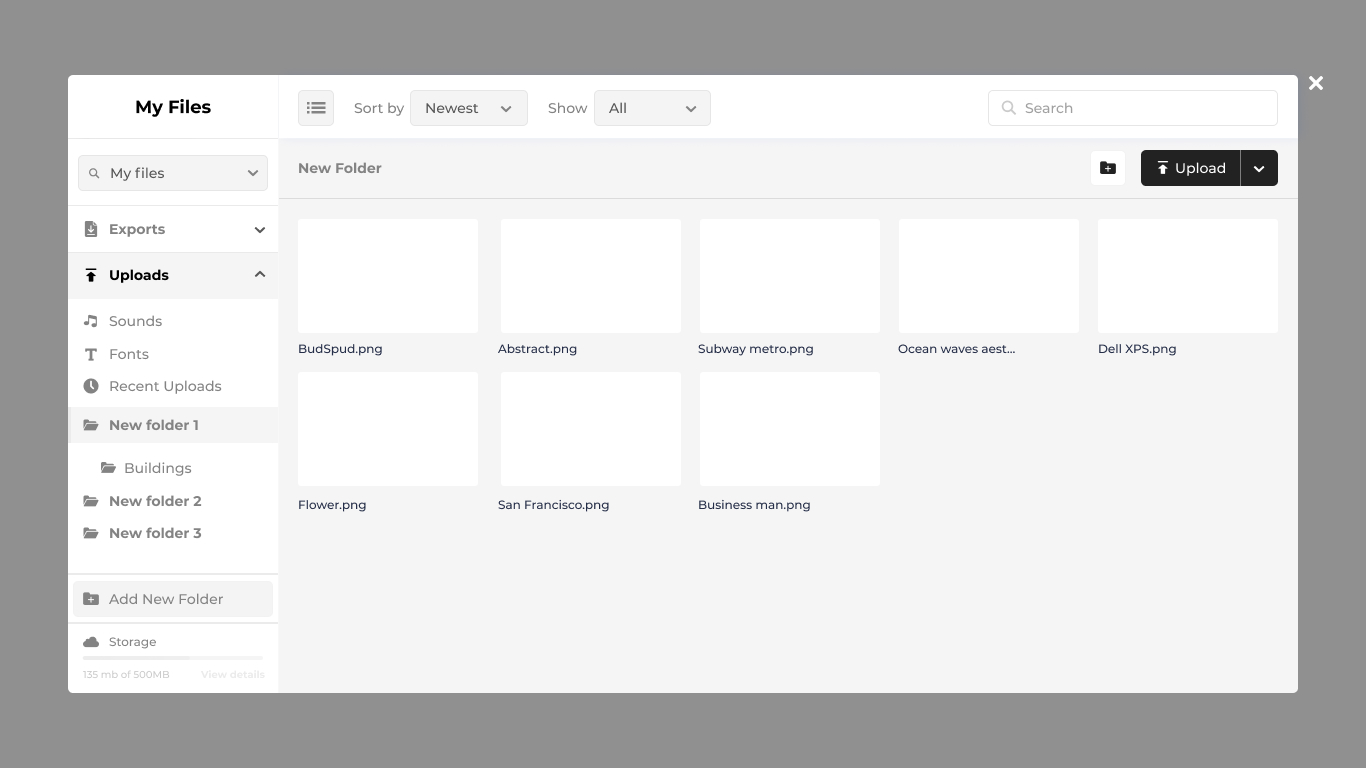
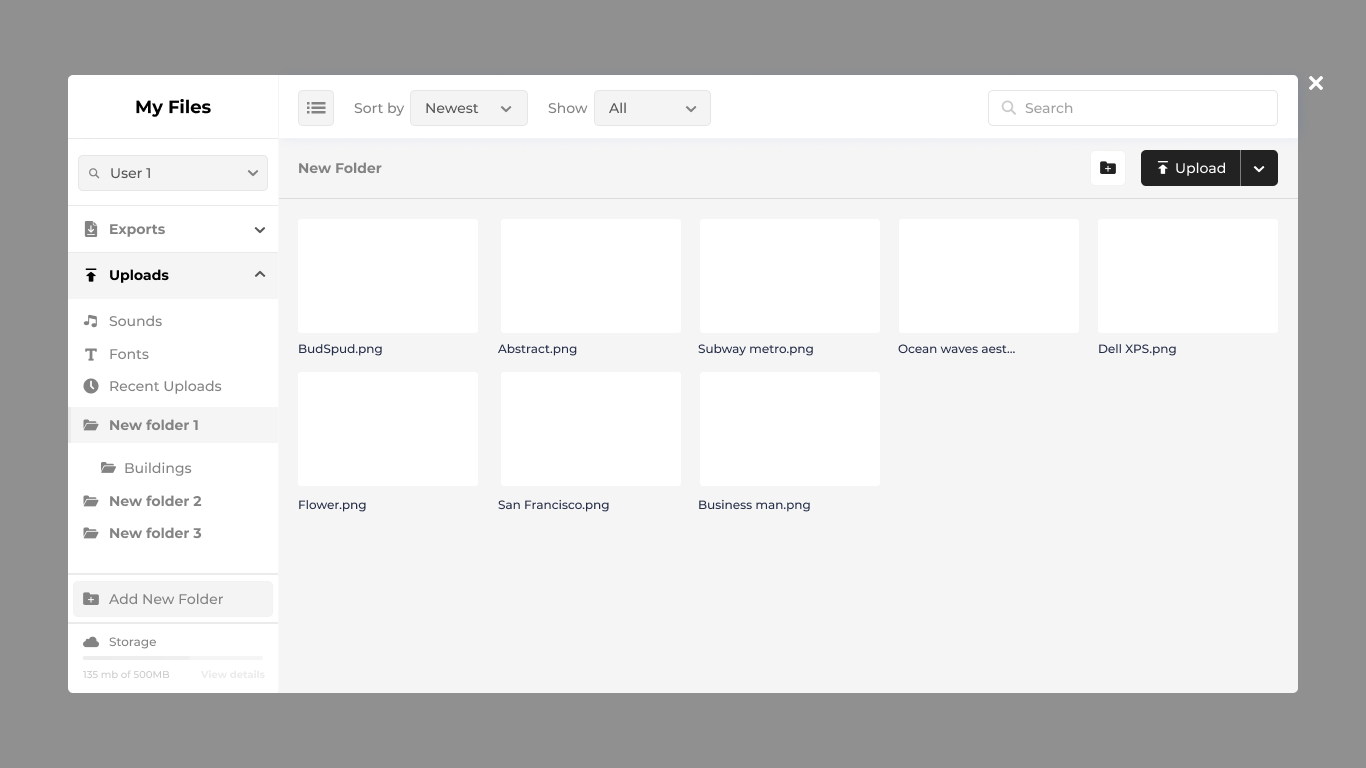
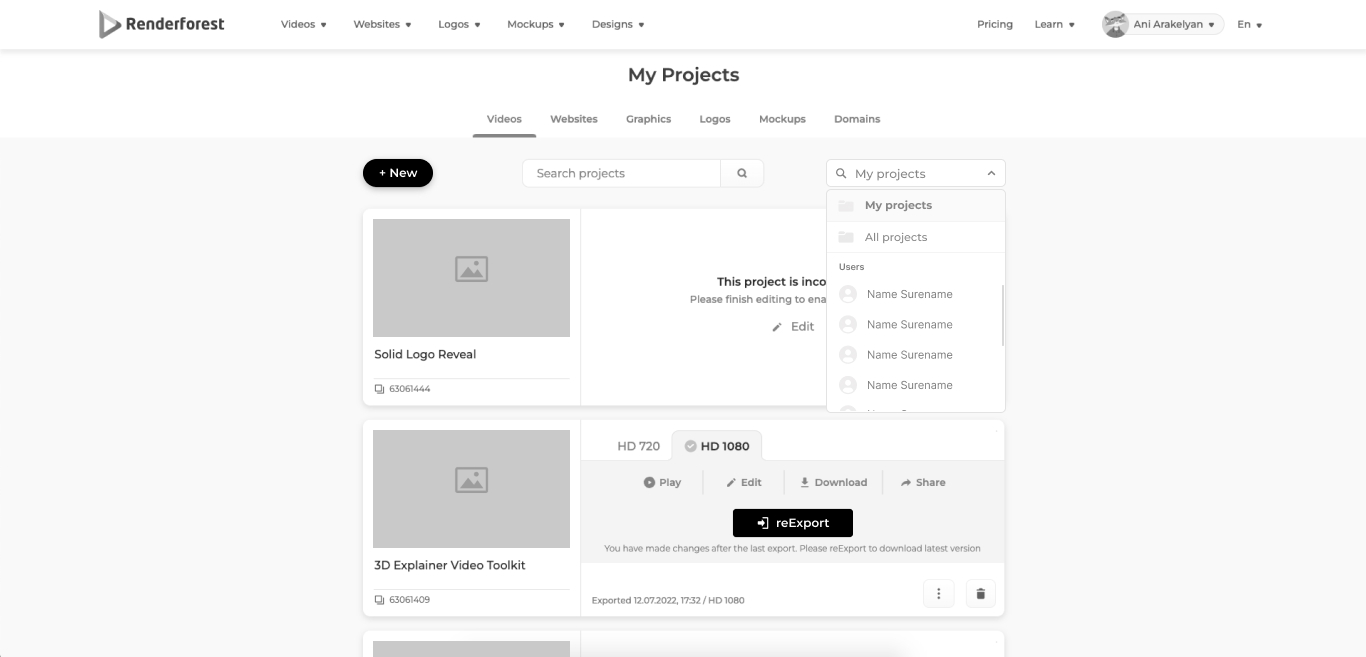
Org-level files with per-user and file-type filtering — the same pattern reused across the projects view for consistency.
Member-to-owner requests, for the expensive actions.
Not every action inside an org should be a member's to take alone. Parallel rendering capacity and website publishing both cost the org money, so they go through a request workflow: a member asks, the owner approves, the action proceeds — with state for the request itself (pending, approved, denied) visible to both sides.
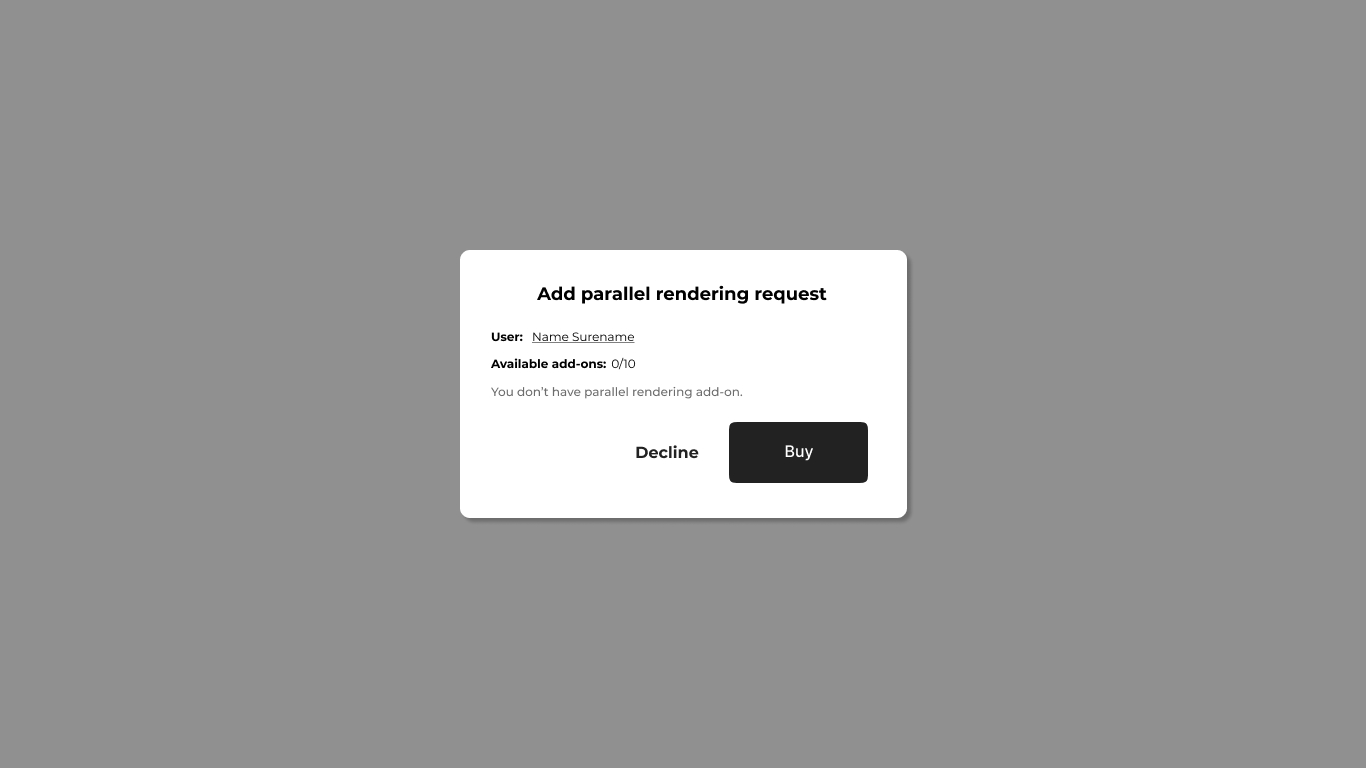
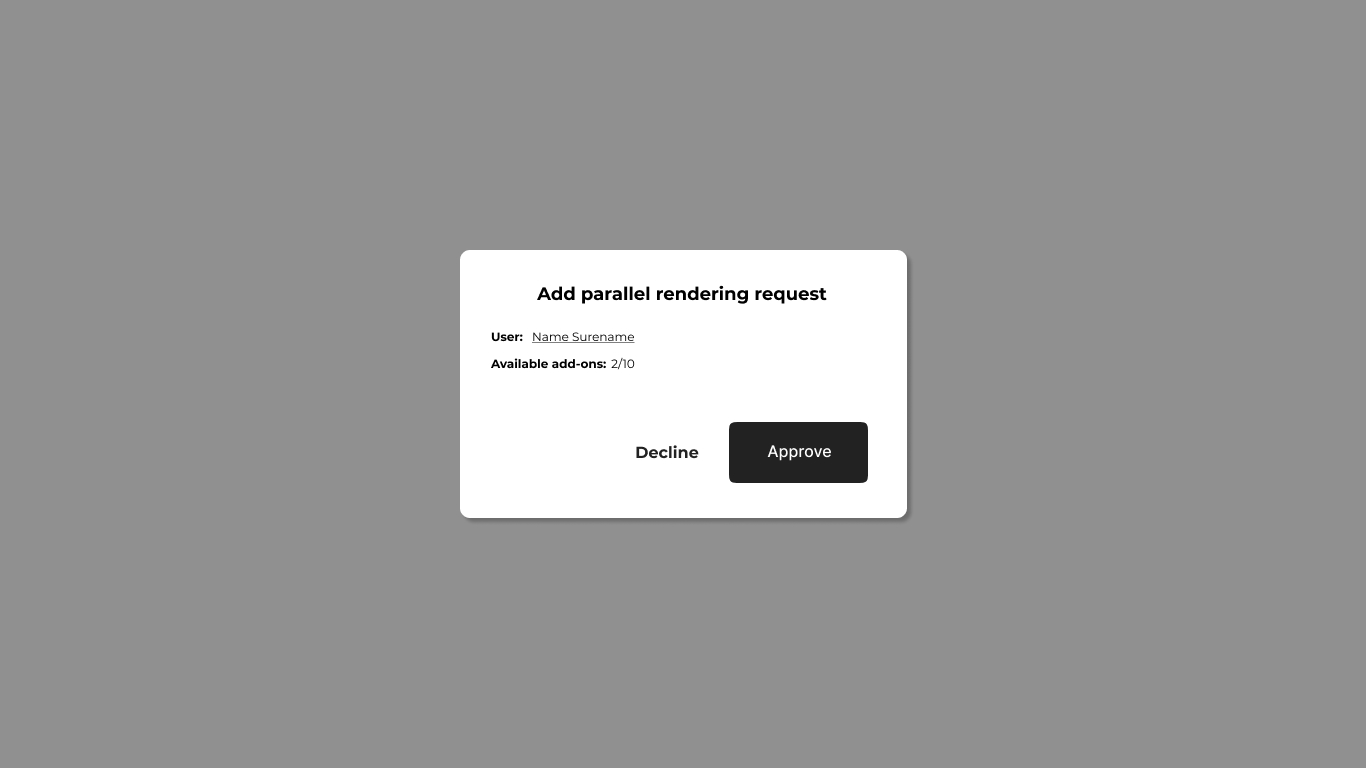
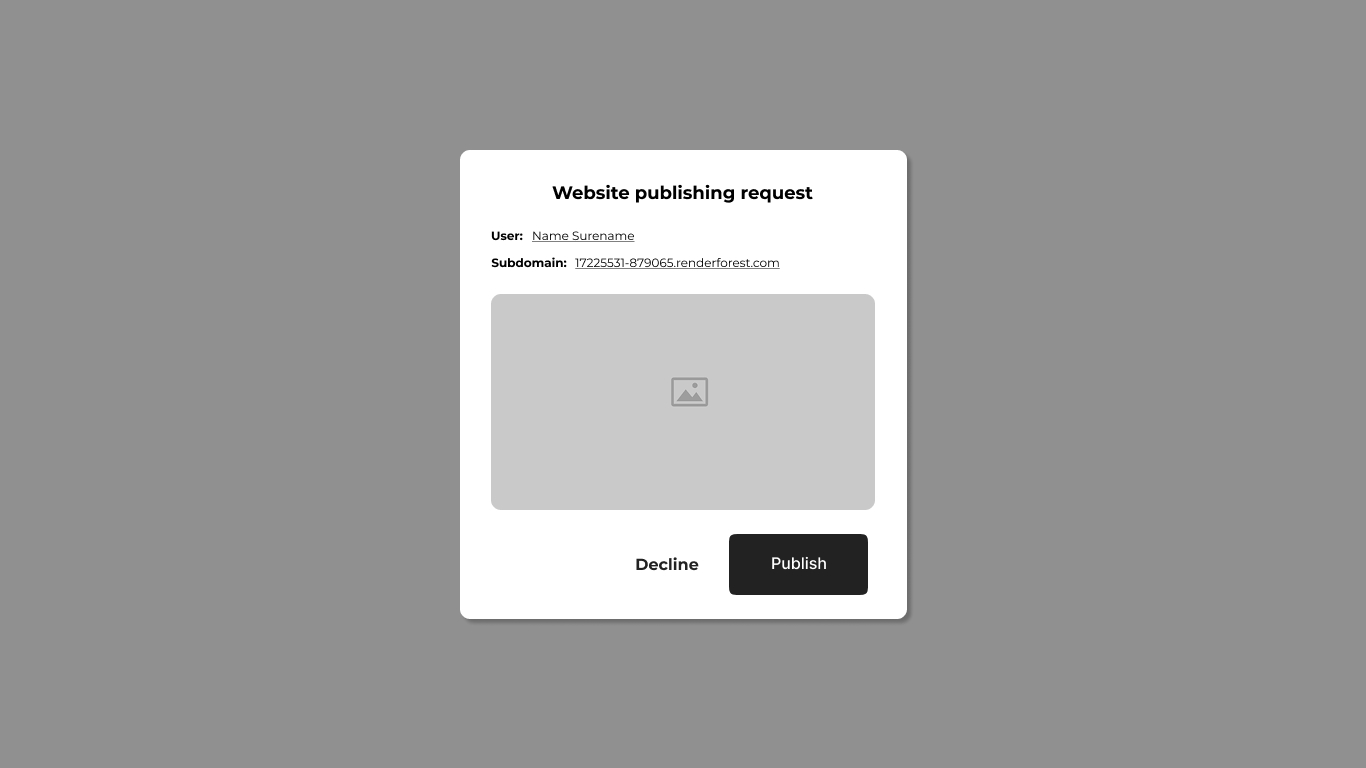
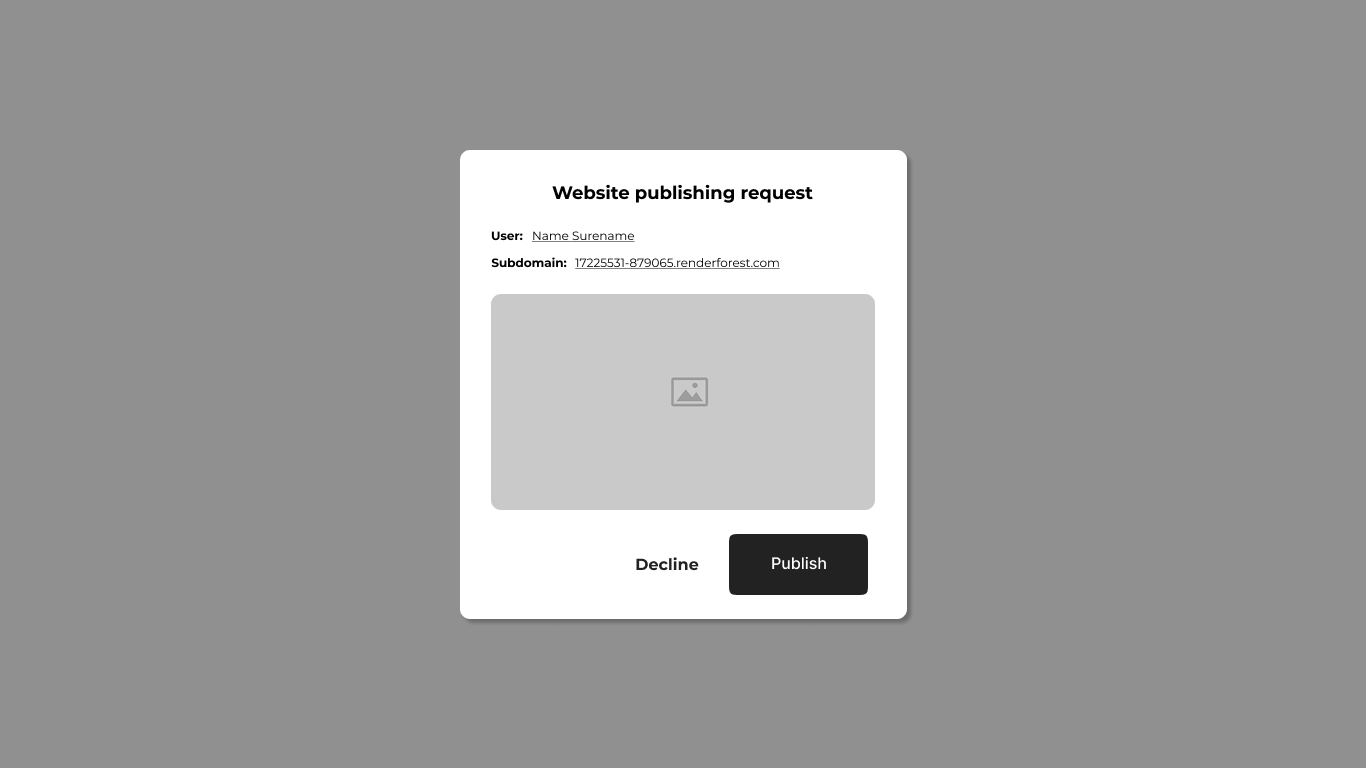
The request pattern — designed once, applied to the actions that cost the org money.
Every journey, mapped before any screen was built.
Before the wireframes, the flows. Every journey through the system — invitations, role changes, seat purchases, seat reductions, add-on purchases, requests, account state transitions — was mapped first, so the wireframes could plug into a system that already made sense end-to-end.
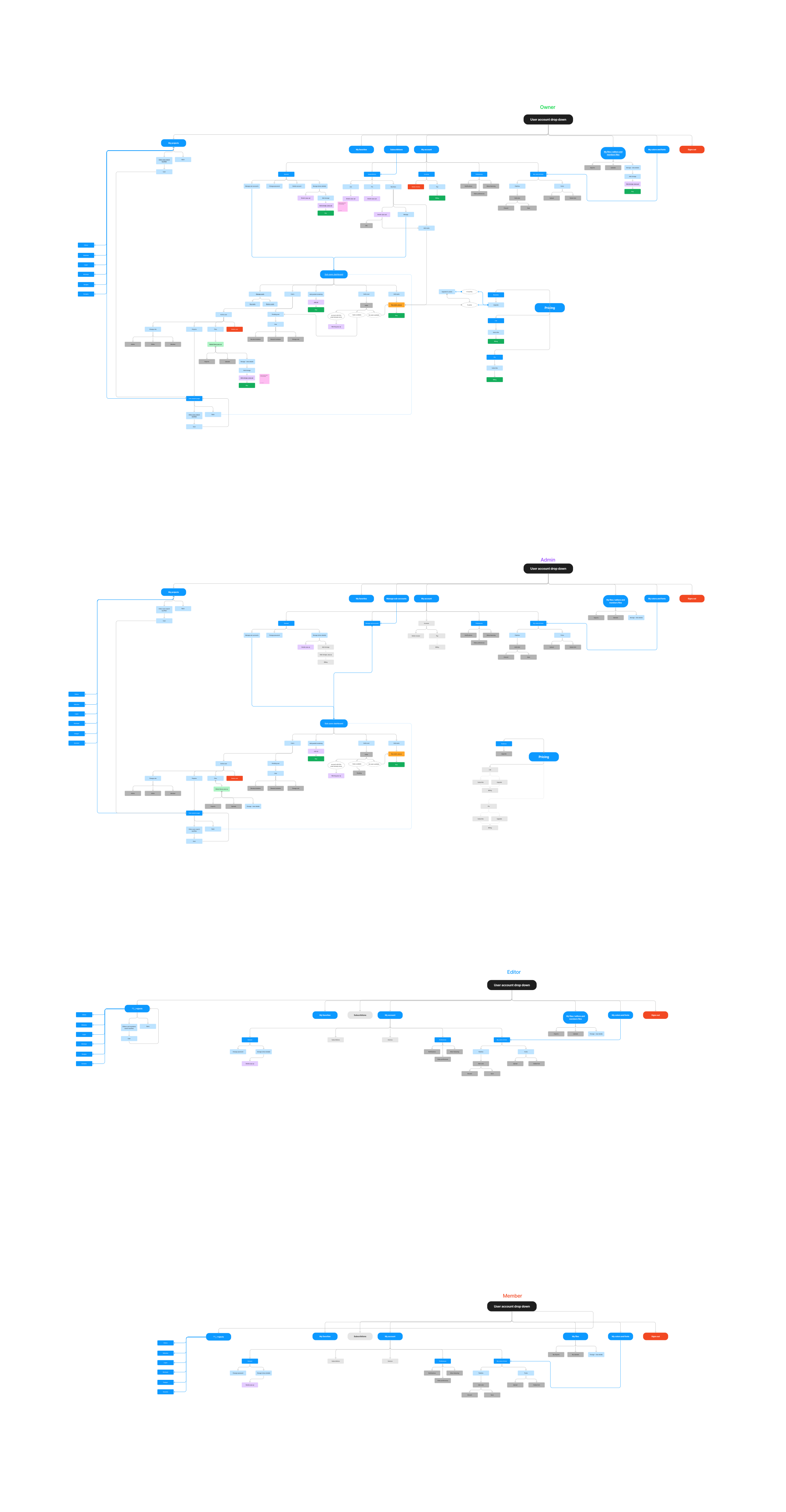
The full Organization Seats flow document — every journey and state transition in one map.
Shipped, built on this foundation.
I left Renderforest before the team tier shipped, but the product is live and is built on the flows and wireframes documented here. Every state, every billing edge case, every request pattern in the shipped product traces back to a screen on this page.
What I'd take into the next one
Designing a billing-aware system from scratch reinforced something I keep coming back to: the work that distinguishes a senior product designer from a junior one isn't the happy-path UI — it's the discipline of designing every state the math, the rules, and the user's intent force into existence, before engineering has to invent them on the fly. The minimum-amount screens, the proration-at-zero screens, the don't-allow-reduce screens — those aren't extra work, they're the actual work.
Happy to walk through the full flow document and the wireframe set — including the decisions I cut — in a conversation.
Get in touch →Like what you see?
I'm open to senior product design roles and select freelance engagements. Always happy to chat.
Get in touch →