MSP Crowd: a two-sided
directory for finding IT partners.
MSP Crowd is a directory where companies with IT needs find a Managed Service Provider, and MSPs list themselves to be found. I designed both sides end to end: search and filtering for buyers, public company pages, contacting an MSP, and the tools MSPs use to claim, create and edit their listing, on desktop and mobile.

Two audiences, one product.
Companies without their own IT team need a Managed Service Provider, but finding the right one usually means cold searches and sales calls. MSPs, on the other hand, need to be found by the right clients. MSP Crowd puts both in one place: buyers search and compare, and MSPs keep a profile that does the selling for them.
That makes it a two-sided product. Every screen had to work for one side without getting in the way of the other: a fast, scannable directory for buyers, and an editing experience that makes MSPs want to keep their page complete.
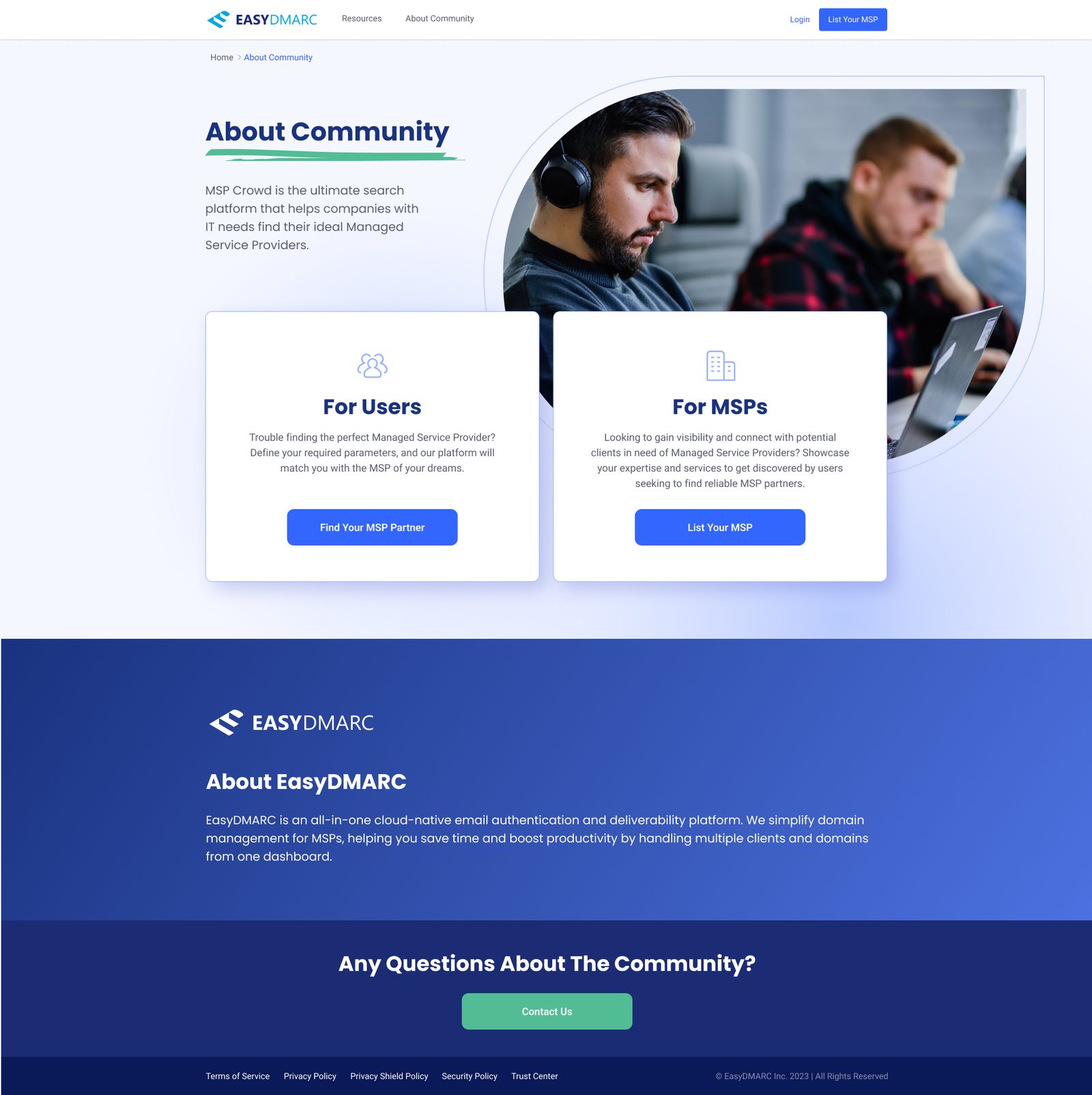
The About page sends each audience down its own path: Find Your MSP Partner, or List Your MSP.
Search, filter, compare.
Search is split in two, location and keyword, because buyers usually care about both: who's near me, and who does what I need. The filter sidebar covers category, services, segment, partner status and language, with counts next to each option and search inside long lists. Applied filters show as removable chips above the results, so it's always clear why you're seeing what you're seeing.
Results come as a grid for browsing logos, or a list for reading descriptions side by side. Each card shows the same fields in the same place, so comparing is a matter of scanning, not reading.

List view: the same results, with more room for each description.
A profile that answers the buyer's questions.
Each MSP gets a public page: logo, name, description, then structured details such as categories, services, area served, headquarters, segment, employee count, year founded, languages, hourly rate, social links and certifications. A media gallery with image and video previews shows the team and their work, and a sidebar suggests other MSPs to keep people browsing.
Pages come in two states. An unclaimed listing shows Claim This Listing next to Contact MSP, which is how existing companies are brought into the product. A claimed one gets a Verified badge, which matters to buyers choosing who to trust.
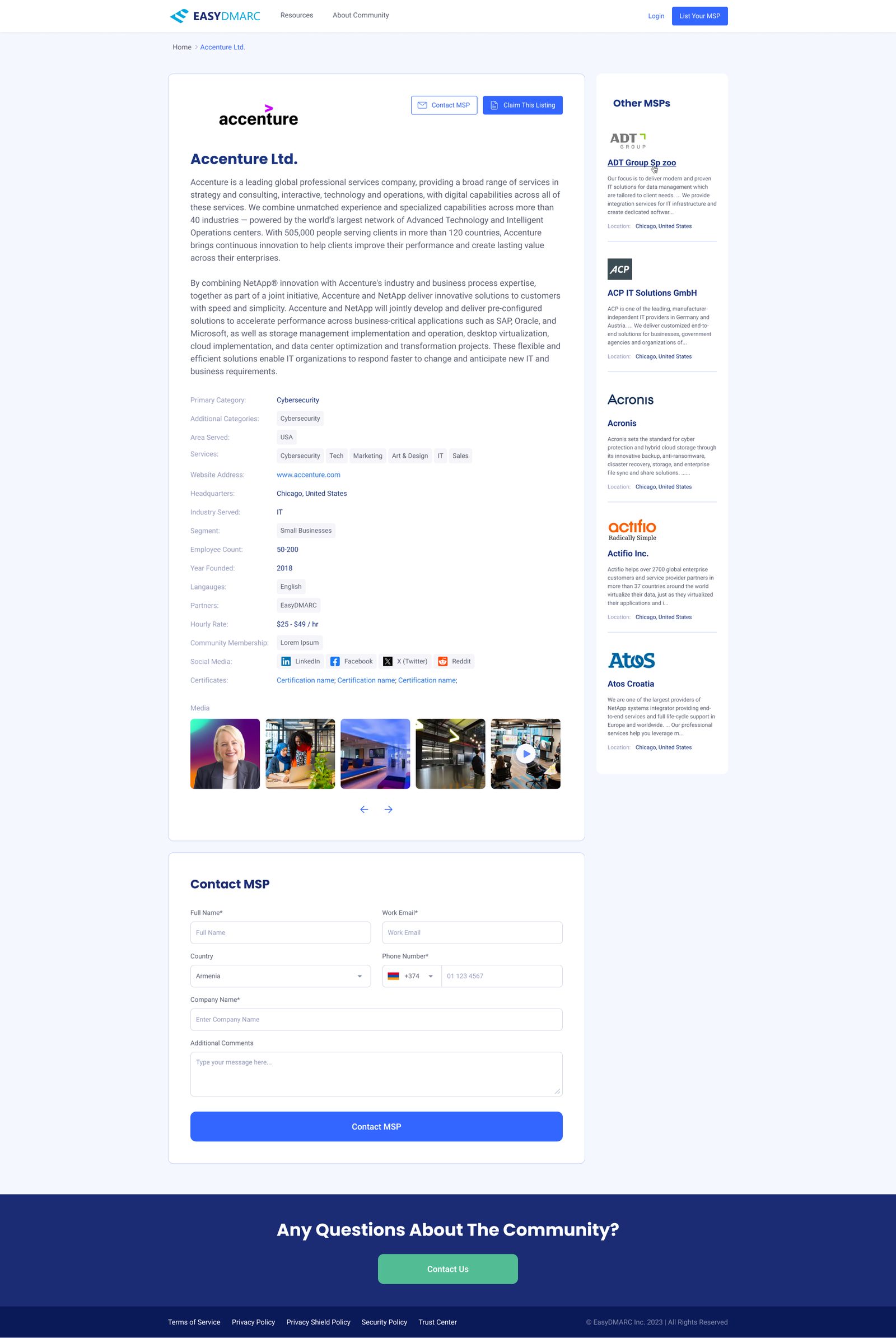
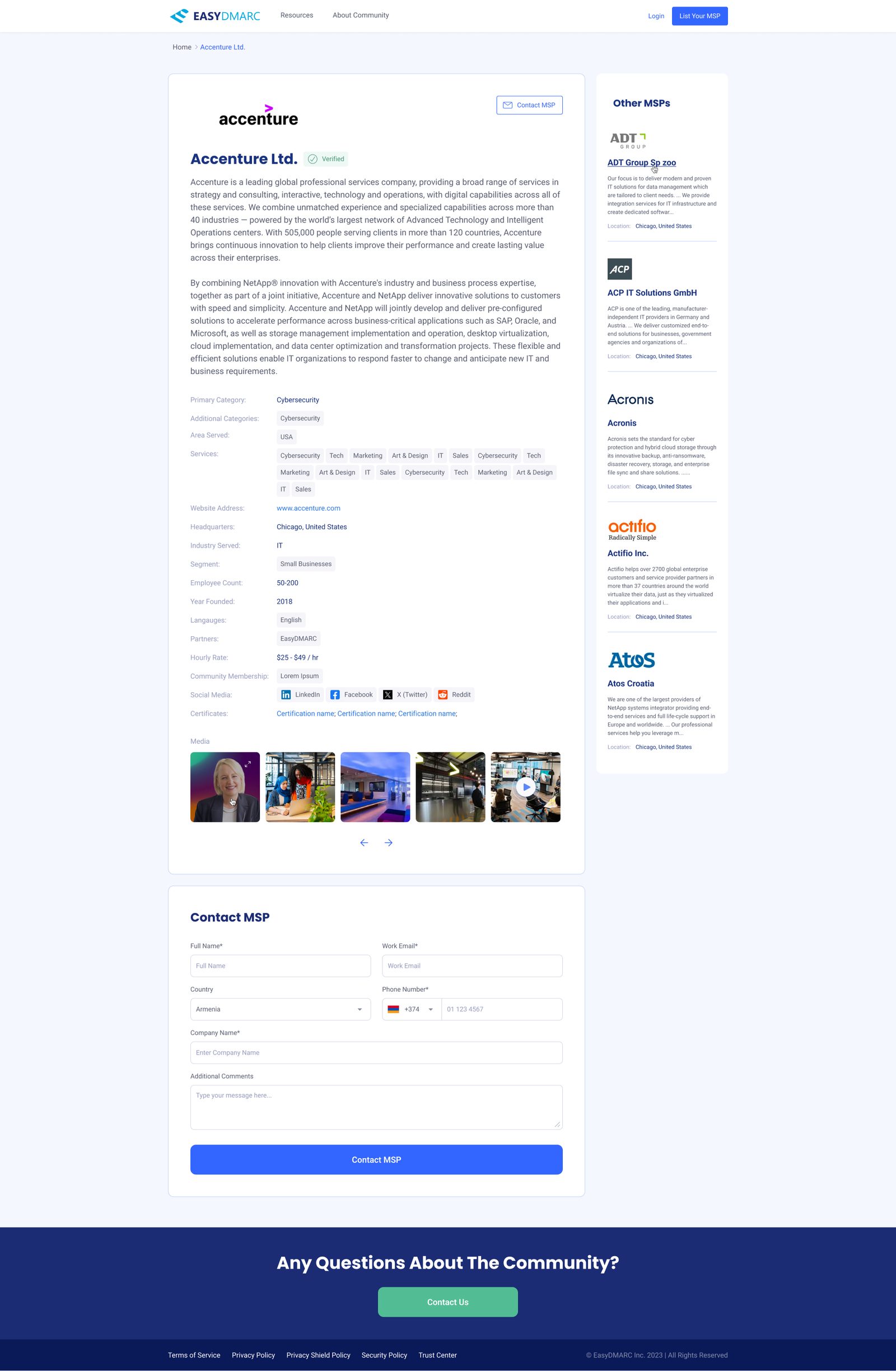


Unclaimed vs verified pages, and the media gallery for images and video.
From interest to a real lead.
The contact form sits on the company page itself, so buyers don't lose context. After sending, they get a clear confirmation; the MSP gets an email with the buyer's details and message, sent to whichever contact the MSP chose to receive requests.
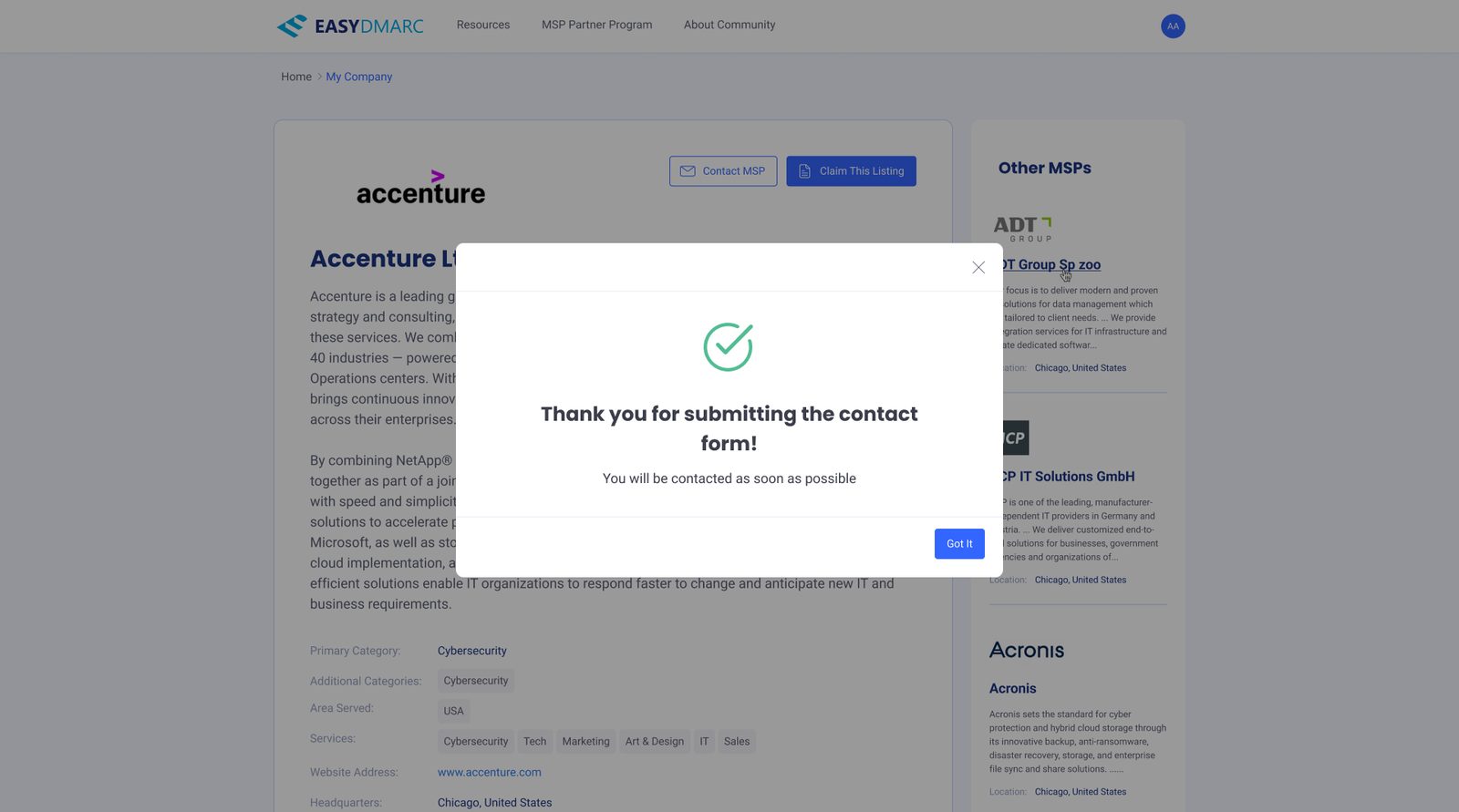
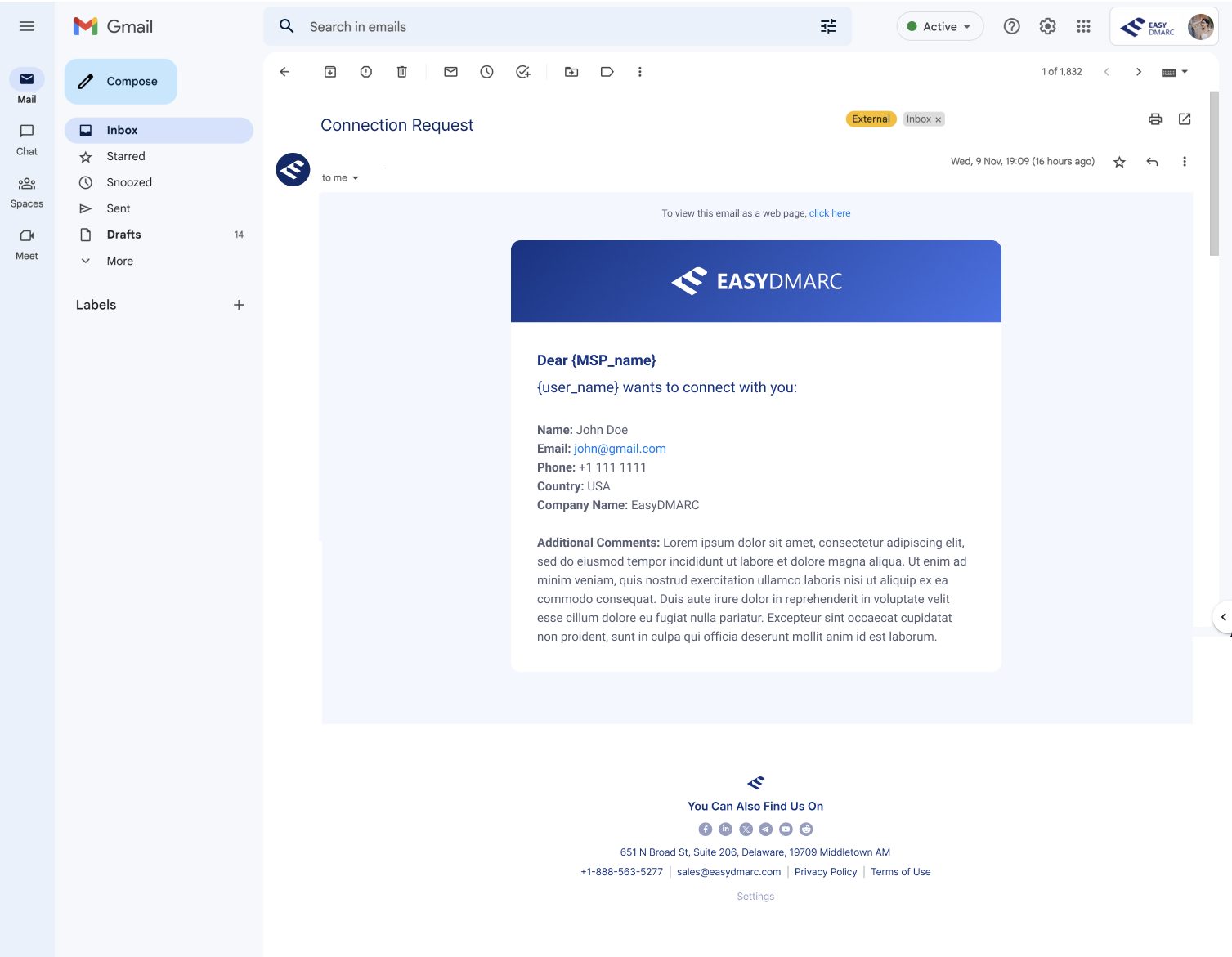
Both ends of a contact request: the buyer's confirmation, and the email the MSP receives.
Making a long profile easy to keep up to date.
A good listing needs a lot of information, and long forms are where people give up. The My Company page shows the listing as buyers will see it, with one Edit button. The edit form is grouped into sections (company basics, categories and services, location and size, social links, certificates, media) and uses multi-select dropdowns with chips for anything with several values.
Small details carry a lot here: a character counter on the description that explains only the first 200 characters appear on the directory card, tooltips with examples for unclear fields, and a highlighted note marking which contact details stay private and are never shown on the public page.
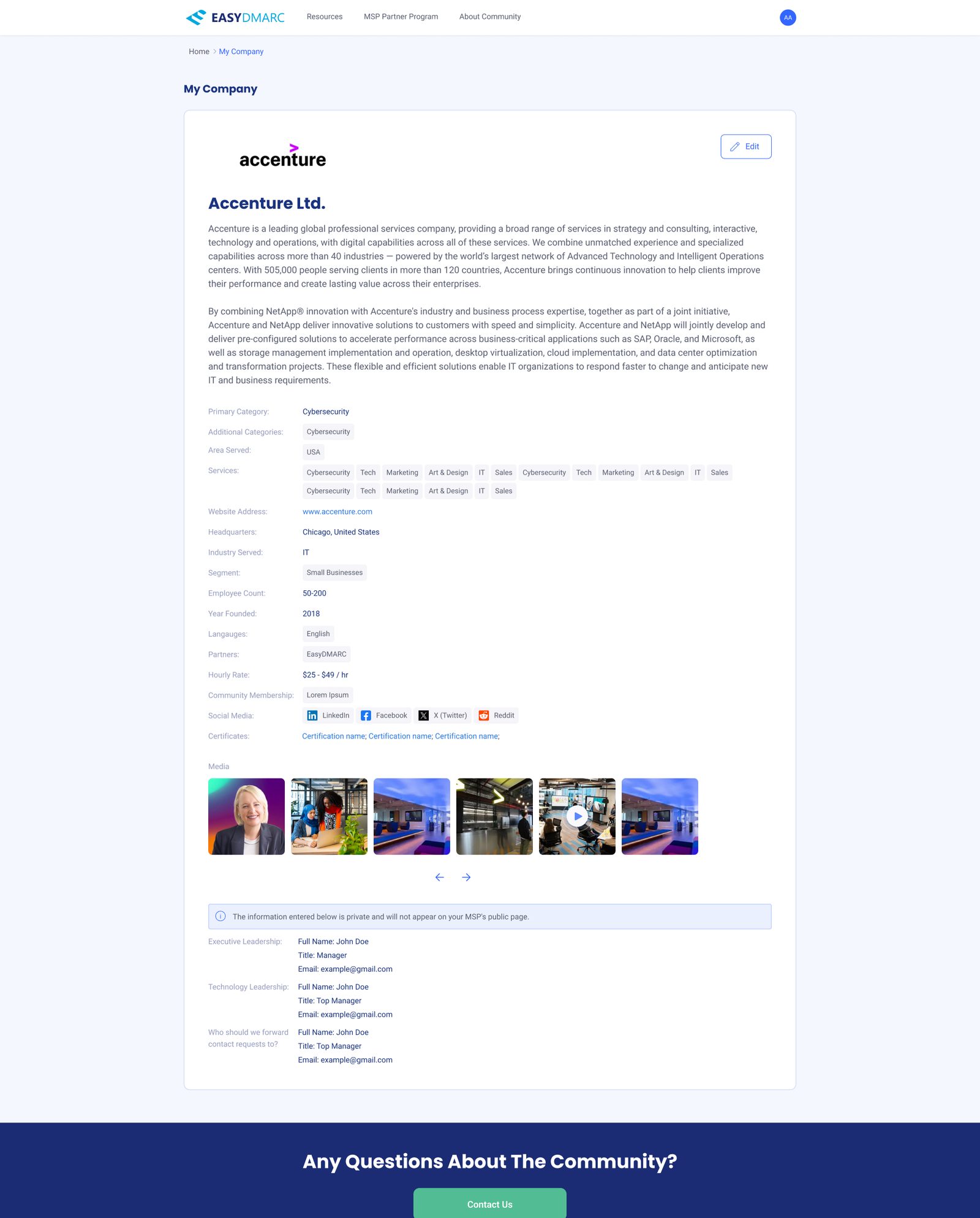


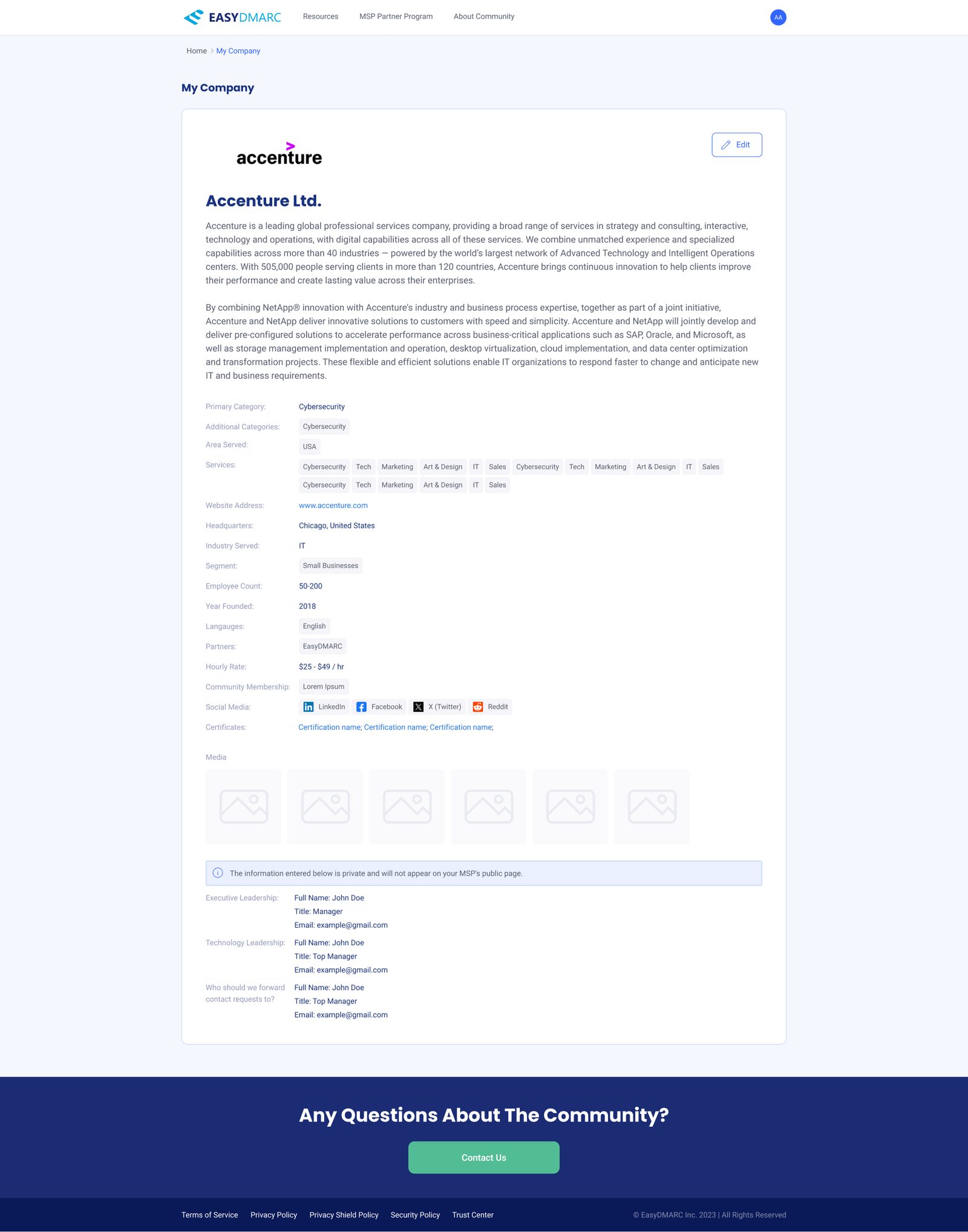
Viewing and editing your own listing: multi-select with chips, upload rules in tooltips, and a clear line between public and private information.
Listing a new company
MSPs that aren't in the directory yet start from an empty form with a Submit button instead of Save Changes. Required fields are flagged inline and summarized at the bottom, and new pages go to review before they appear in the directory, which the confirmation says plainly.


Validation, then two different confirmations: a new page goes to review, an edit is live right away.
The whole product, on a phone.
Both sides work on mobile: the directory with a collapsible filter panel, company pages with Contact and Claim, and the full editing flow, with the logo uploader, long text fields and Cancel/Save always at the top.

Design for the side that has to do the work.
A directory is only as good as its listings, and listings depend on MSPs being willing to fill in a long profile. So most of the care went into the side buyers never see: a form that explains itself, a clear line between public and private, and confirmations that say exactly what happens next. If that side works, the buyer side has something worth searching.
Happy to walk through the two-sided flows in more detail.
Get in touch →Like what you see?
I'm open to senior product design roles and select freelance engagements. Always happy to chat.
Get in touch →